Phoenix Technologies has loaned us a Samsung N130 netbook, complete with their FailSafe service, and after several weeks of using it in place of my HP Mini 1000. Despite some small issues I found the Samsung N130 to be a very capable netbook
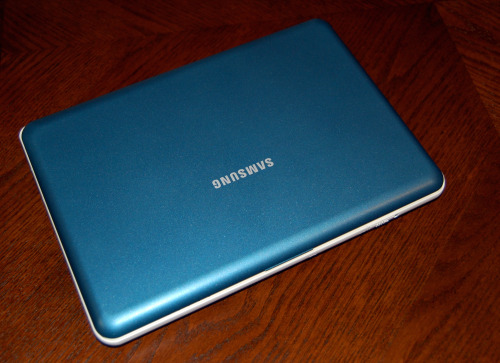
The first thing that struck me about the N130 as I removed it from the Samsung box was the color scheme; blue and white. I didn’t like it at all; the two tone color combination gave a “leapfrog-like” look to the netbook that made me a bit self conscious carrying it into the local Panera.
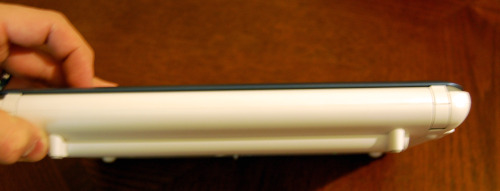
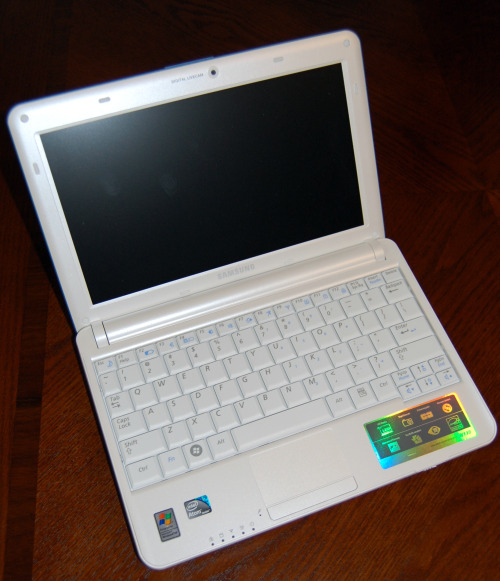 Despite my dislike of its two tone paintjob, the build of the Samsung N130 is top notch. During day to day use it is light enough that it is portable but you don’t worry that a bump or a flex will cause it to fall apart. The first thing I noticed when I lifted the N130 out of the case is how well it fits into your hand. Not only does it fit well, thanks to the battery which bumps out slightly, but the cover isn’t a glossy fingerprint magnet like the lid of my HP Mini. The matte cover keeps the exterior of the netbook looking clean and feels nice to the touch too. Another nice touch is the small lip in the middle of the lid which makes it easier to open N130.
Once you open the Samsung N130 you’ll notice that the cover isn’t the only thing that’s matte. The N130 comes with a 10.1″ matte screen capable of 1024×600 resolution. I can’t express how happy I am to see a matte screen on a netbook instead of the glossy finish every manufacturer feels compelled to include. This option, combined with the ability to open the lid further than my Mini 1000, made working on the go much easier; even in the car on a sunny day.
During my normal usage of writing, surfing the web, working in Word and recording some video with the built in webcam I found that the battery lasted right around 5 hours. To achieve this battery life I used the standard battery model that the netbook shipped with which had a dimmed but still usable screen on battery power. One little touch I liked here was that if I stopped using the N130 for a short time the screen would dim to the lowest setting but not turn completely off. This saved the battery at times when I was brainstorming or was interrupted by conversation.
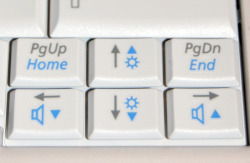
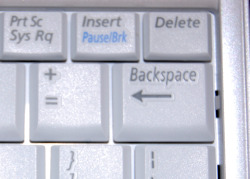
Aside from my issues with the paint job I had some trouble adjusting to the keyboard and the trackpad. I’ll admit that after typing several hundred thousand words on the Mini 1000’s keyboard switching to anything else presents a small challenge but even after extended use I found the placement of the Page up and Page down keys to be troublesome; I also found out that Ctrl+Page Up or Down switches tabs in Firefox. The page keys are located above the small right and left arrow keys which meant that I often found myself accidentally skipping to the end of a document or jumping to a new tab in Firefox. On a small keyboard like this moving the page up and down keys to a function key-combo would be much better. The second problem I had with the keyboard is that the backspace key (one I use a lot) is smaller than on other netbooks. This led to more than a few “=” being typed when I wanted to delete an item. The rest of the keyboard performed well with plenty of tactile confirmation and spacing to type comfortably.
For the most-part I liked the trackpad; I found it responsive, of usable size and the buttons are on the bottom where they belong. The only issue I had was that there is little difference in the palmrest and the touchpad which makes finding the pad troublesome at times.
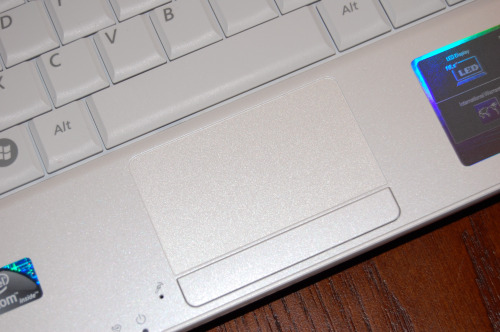
It possible that both of these issues could be overcome with practice and in the case of the trackpad a bit of clear nail polish to mark the edge of the palmrest, but you may want to take a look at your typing style or practice before purchasing the Samsung N130.
Pros
- Solid Build
- 5-Hour battery life
- Matte screen
- Matte cover
- Responsive trackpad; mouse buttons at bottom
Cons
- Two tone paint job
- Small backspace key
- Page up and Down key placement
- Hard to know where trackpad starts
The Samsung N130 is available at Amazon.com for $279.99 and thanks to the battery life, matte screen and others is an attractive entry level netbook.
As tested the Samsung N130 was running Windows XP and had the following specs.
- 1.6GHz Intel N270 Atom Processor
- 1GB Memory
- 160GB Hard Drive
- 10.1″ LED Widescreen Display
- Intel GMA 950 Graphics
- No optical drive
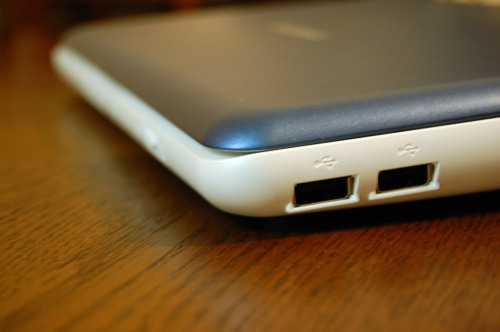
- 3 USB 2.0 ports
- 1 VGA port
- Ethernet port
- Headphone port
- Microphone port
- Webcam
- Microsoft XP Home (SP3)
Additional images:
Related Posts
-
Long a big name in smartphones and mainstream notebooks, Samsung is preparing to battle Alienware,…
-
The Mission Mercantile Laptop Sleeve and Laptop Sleeve Vertical are a beautiful way to carry your…
-
The Samsung Notebook 9 gets an update according to the company's CES 2017 announcement that…