Review: HP Mini 1000 Netbook Earns Notebooks.com Editor’s Choice Award
A lot of netbooks look and feel like toys, but HP’s blessed the Mini 1000 with design cues borrowed from its Pavilion notebooks, making it the best looking netbook to date. This Mini 1000 is an excellent choice for anyone that understands the limitations of a netbook, likes the idea of simplicity and favors style over having a couple of extra ports and plugs.
My favorite feature on the Mini 1000 is its generously sized keyboard, which makes it usable for those of us with large hands. I think the HP Mini is going to become one of the hottest-selling netbooks in the coming months as HP is distributing it through its extensive retail network and once people get their hands on it they don’t want to put it down.
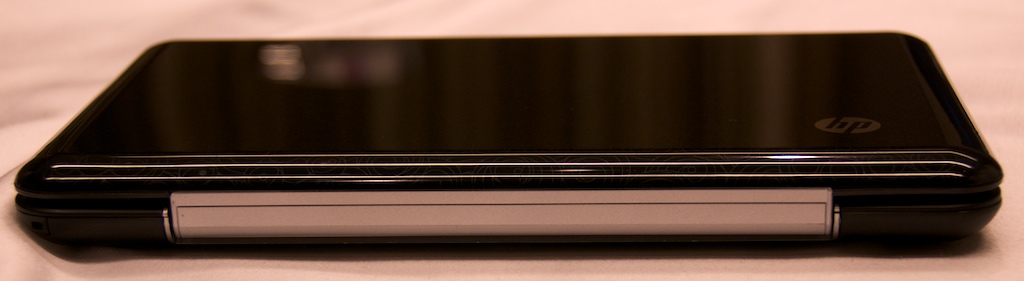
The Mini 1000 does everything a netbook’s supposed to do, but there are compromises. The Mini 1000 is a consumer netbook, which means it’s geared towards casual users, not business users who generally need more durable devices. Its plastic shell looks great, but is a fingerprint magnet and isn’t nearly as sturdy as the aluminum finish found on the business-oriented HP Mini Note 2133. I recommend business users avoid the netbook market entirely until more robust systems are introduced in 2009.
I first saw the Mini 1000 before it was released and posted several videos. Since then I’ve had the chance to spend some more time with the HP Mini 1035nr, a pre-configured version that includes the optional 10.2-inch display, Bluetooth, 1GB of RAM, a 60GB hard drive and Windows XP. This configuration currently costs $464.99, while the base model starts at $369.
There are plenty of good netbooks out there, but the average consumer knows and (mostly) trusts the HP brand more than ASUS, Acer and MSI. Millions of EeePC and Acer One netbooks have been sold already, but I predict the Mini 1000 is going to dramatically increase the popularity of the netbook segment.
HP has the most shelf space of any PC manufacturer at key retail locations such as Best Buy. This is a huge advantage and something that can’t be underestimated by HP’s competition.
Once people touch the Mini 1000 they want one. Women I’ve talked to LOVE the Mini 1000. I was introduced to a lady at a dinner party last night and when I told her that I wrote for Notebooks.com she immediately told me she was interested in buying the super-cute HP notebook she saw at Costco. My mother wants one to write with and my wife is waiting for the Mini 1000 Vivienne Tam edition to come down in price before getting one.
Of course, buying a netbook is a very personal decision and you may or may not agree with my findings, but I can assure you that the Mini 1000 has some “it” factor that will make most consumers forget about some of its shortcomings.
For it’s smart design, mass appeal, Mobile Internet Experience and best-in-class keyboard, the HP Mini 1000 earns Notebooks.com Editor’s Choice Award.
HP Mini 1000 Appearance:

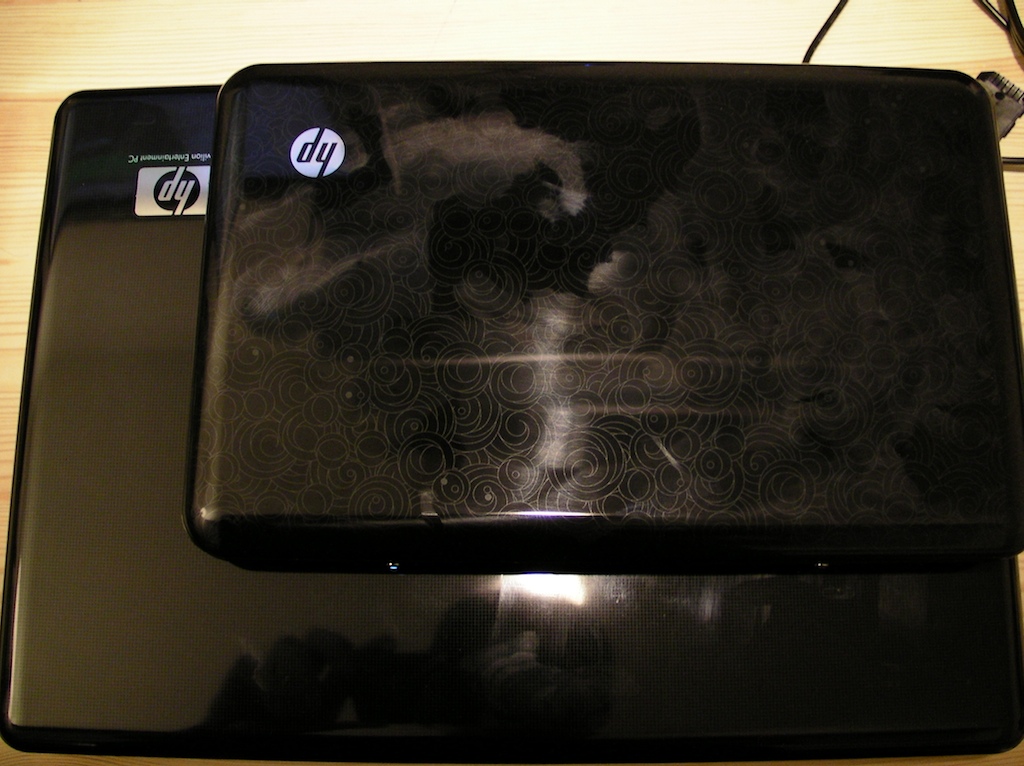
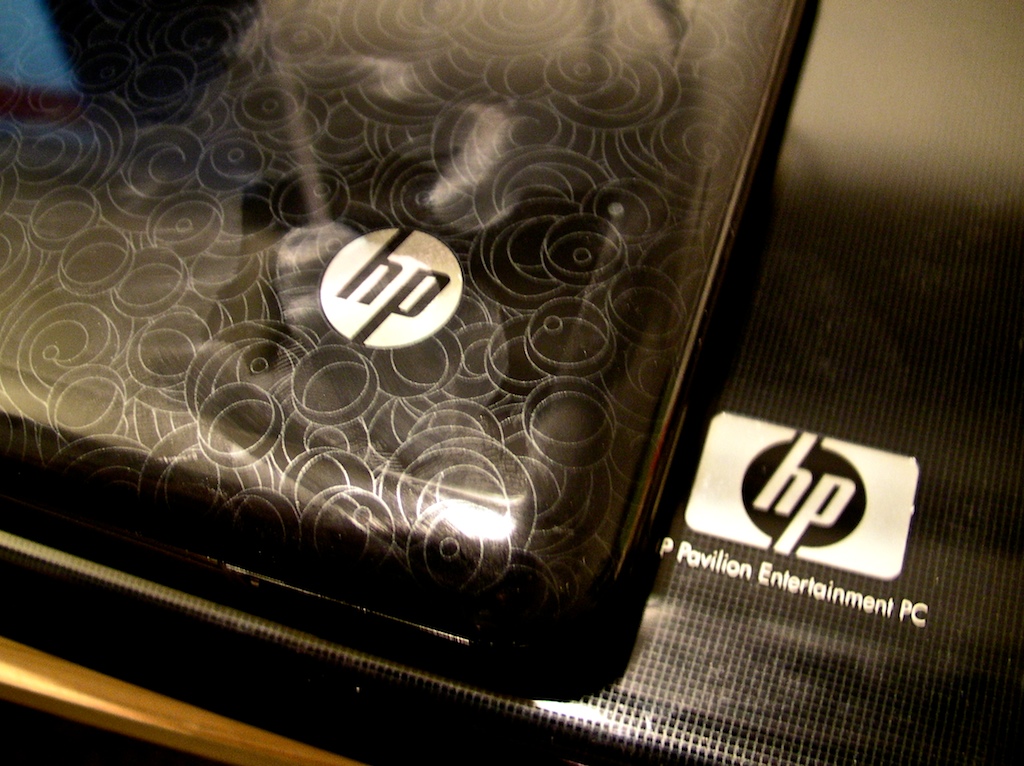
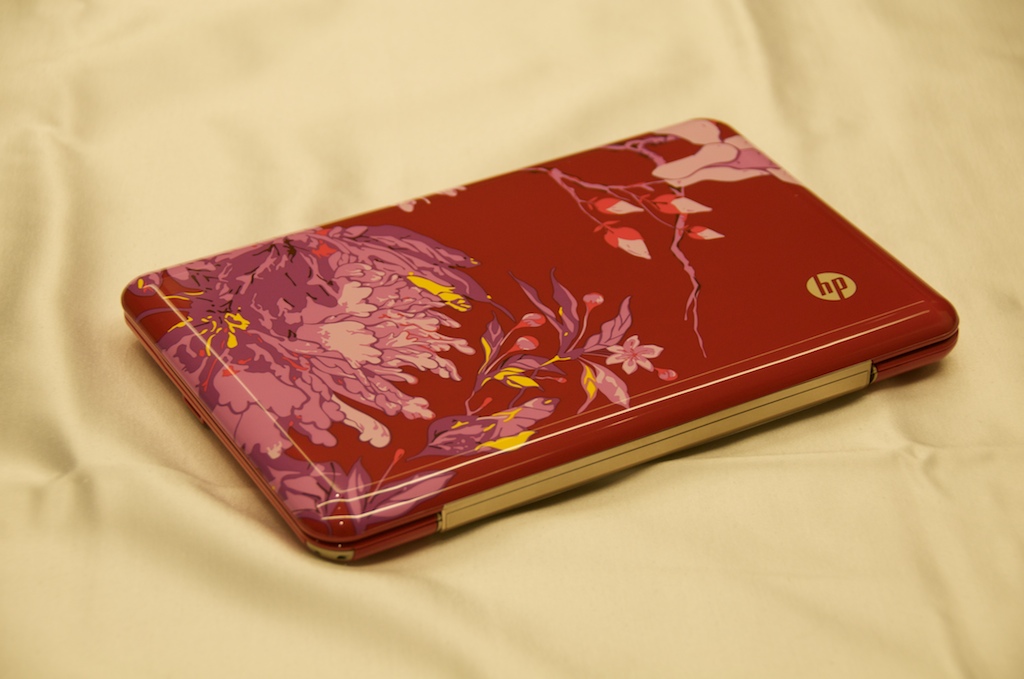
The Mini 1000 has a plastic shell with the HP Swirl design imprinted in the lid. The same technique and material are used on the Mini 1000 as the rest of the Pavilion line.
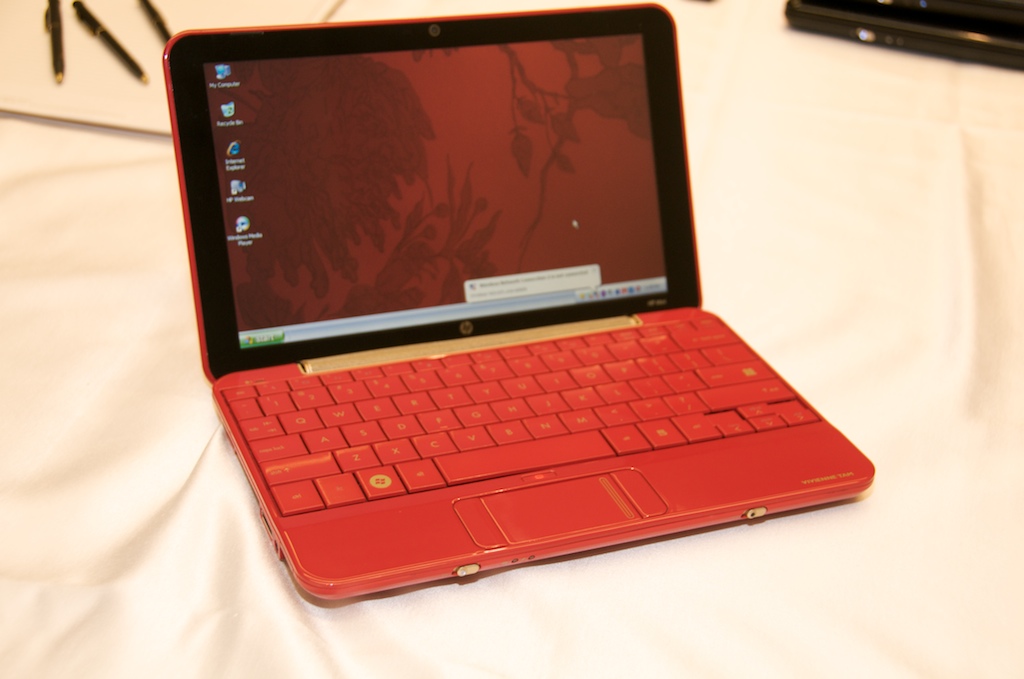
There is a red special edition Mini 1000 that’s aimed directly at the fashionistas and has been carried down runways by models that weigh just a few ounces more than the netbook ;-) Some people call the Mini 1000 a “digital clutch” because of its fashion appeal and after spending any amount of time with it you’ll understand why.
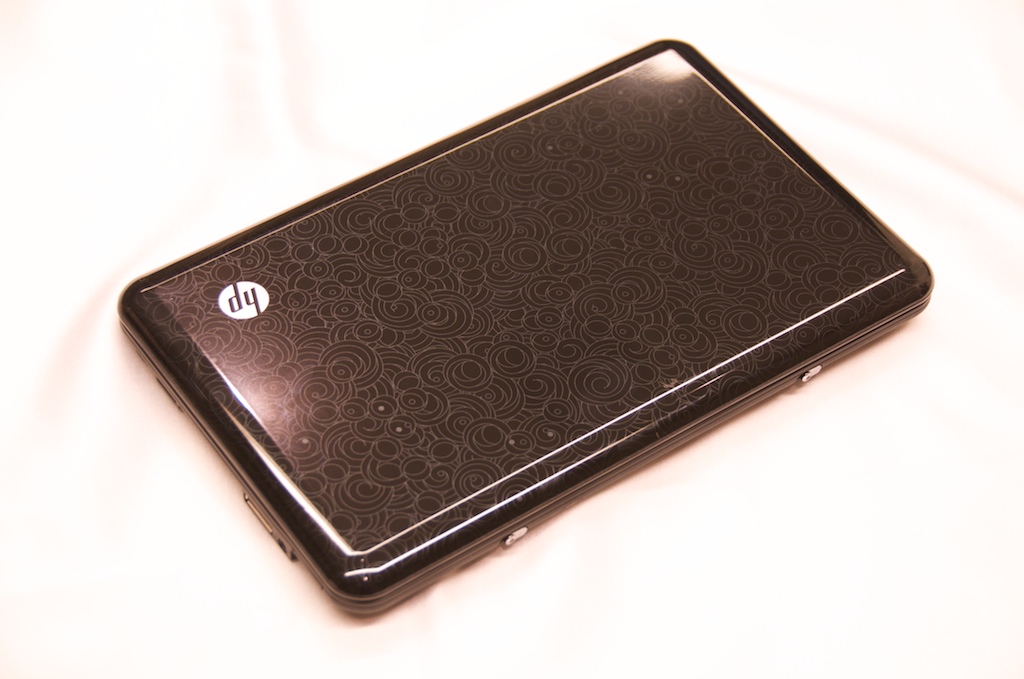
The HP Mini 1000 I reviewed is the standard black version, which has the same external appearance as the Pavilion consumer notebook line. Several other manufacturers’ netbooks are like the redheaded stepchildren of their notebook families and don’t look like their bigger brethren at all.
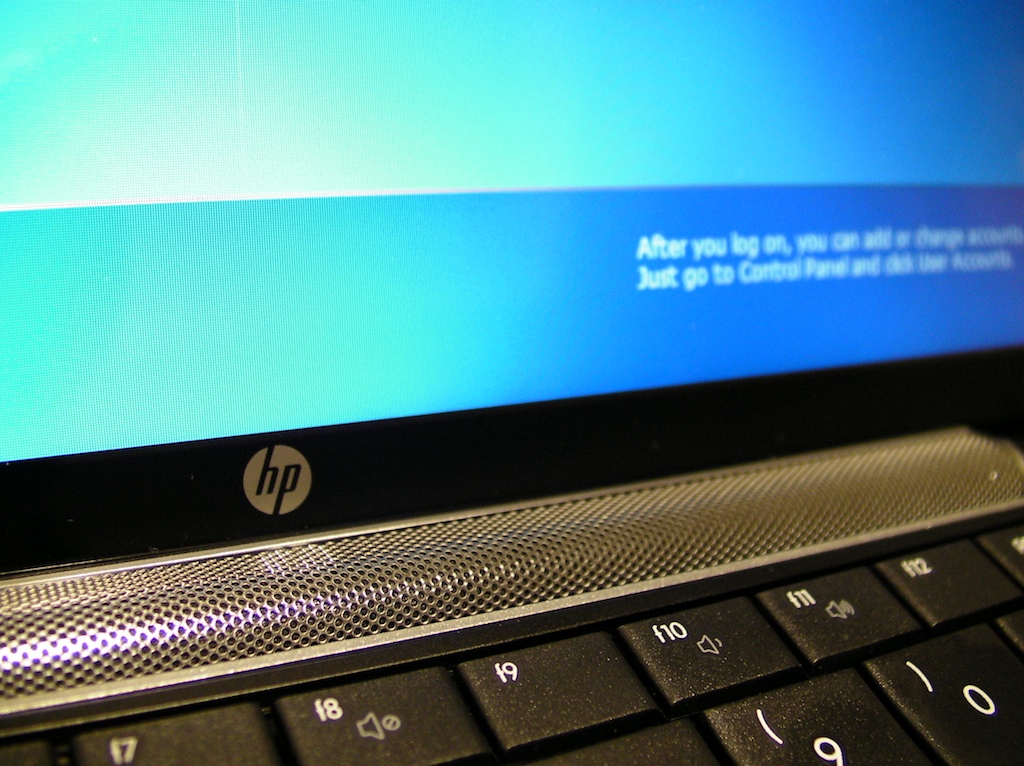
The Mini 1000 ‘s “Infinity Display” has no bezel, giving it a nice premium look. There is a small HP logo on the lid of the notebook, another just below the screen and a small “HP Mini” monogram on the right side of the display. The markings are minimal and tasteful.
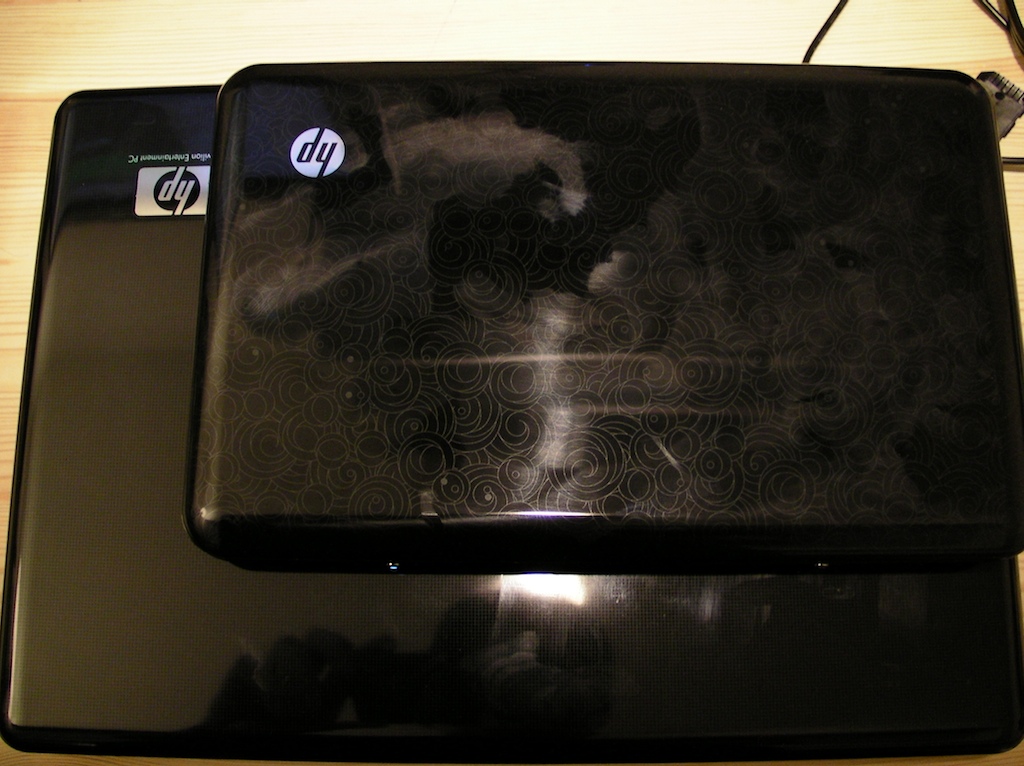
Here’s a photo of the Mini 1000 compared to the HP Pavilion dv4. As you can see, the Mini 1000 has a similar appearance and obviously belongs to the same family.
HP Mini 1000 Performance
The HP Mini 1000 I reviewed has pretty typical specifications as far as current netbooks go: 1.6GHz Intel Atom Processor, Intel GMA 950 and 1GB of RAM and Windows XP. As you can imagine, it performs very similarly. It’s relatively snappy when it comes to web browsing and writing/reading email, but sluggish when it comes to processor and graphics intensive tasks. I imported several dozen recent pictures from my Canon Powershot and edited them using Google Picasa. The Mini 1000 was up to the task and I could perform basic edits on my jpg photos.
But when I installed Photoshop Elements 7 the Mini 1000 had met its match. I could some simple tasks I waited for the hourglass way too often and the application crashed repeatedly. Netbooks really aren’t meant from graphics applications and this is an example of when a full-sized notebook is a better choice than a netbook.
HP Mini 1000 Graphics
I could watch high quality YouTube videos full screen. The best video quality was achieved with my SlingBox since the Slingbox player automatically adjusts video quality so it doesn’t stutter. The HP Mini 1000 comes with Intel’s Graphics Media Accelerator 950. This is a very basic graphics solution and at times it struggles with the most basic video playback, but this is par for the course with current generation netbooks. Don’t expect to play video games or high bit-rate video on the Mini or similarly configured netbooks. Watching Hulu.com HD video was like watching a stop-action animation.
Keyboard and Touch Pad:
Typing on the Mini is not as comfortable as typing on a Pavilion notebook, but it’s luxurious compared to the S10 and other netbooks I’ve used. I have large hands so this is especially important to me. Children and those with petite hands may not appreciate this aspect of the Mini 1000 as much as I do.
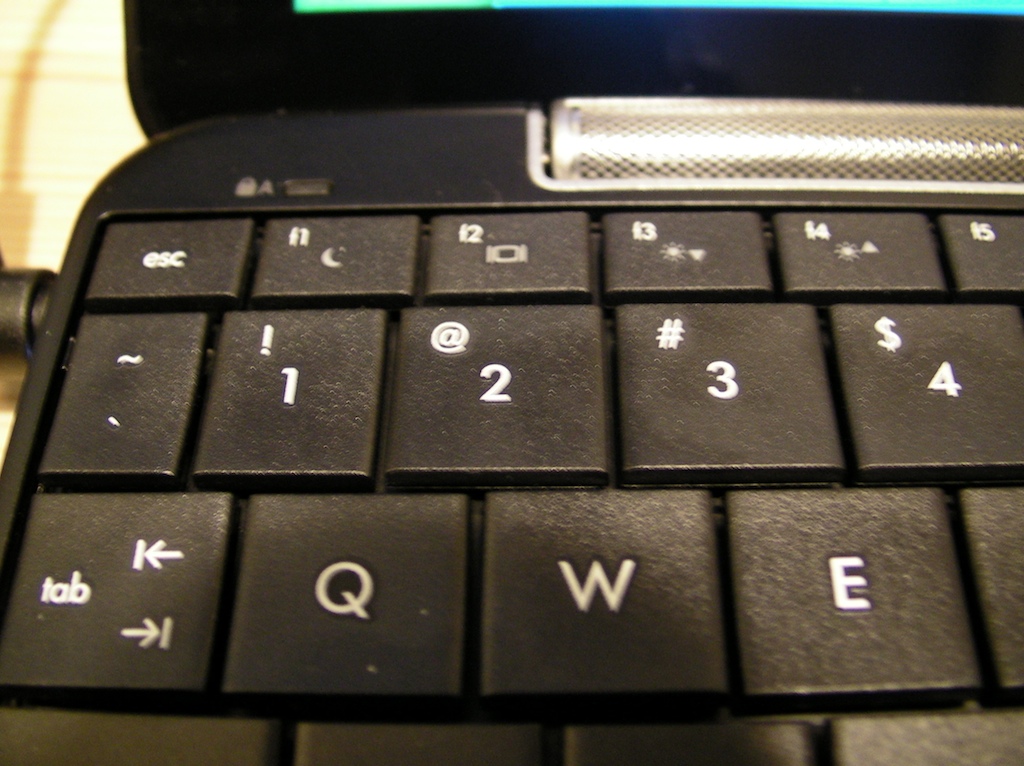
The HP Mini 1000 has the best keyboard of any netbook I’ve used. Its keys are 92% of the size of a standard notebook keyboard, which is is significantly larger than those found on the Lenovo IdeaPad S10 or the EeePC series. Nothing compares to a full sized keyboard, but after getting adjusted to the keyboard I could easily touch-type at nearly full speed without thinking twice.
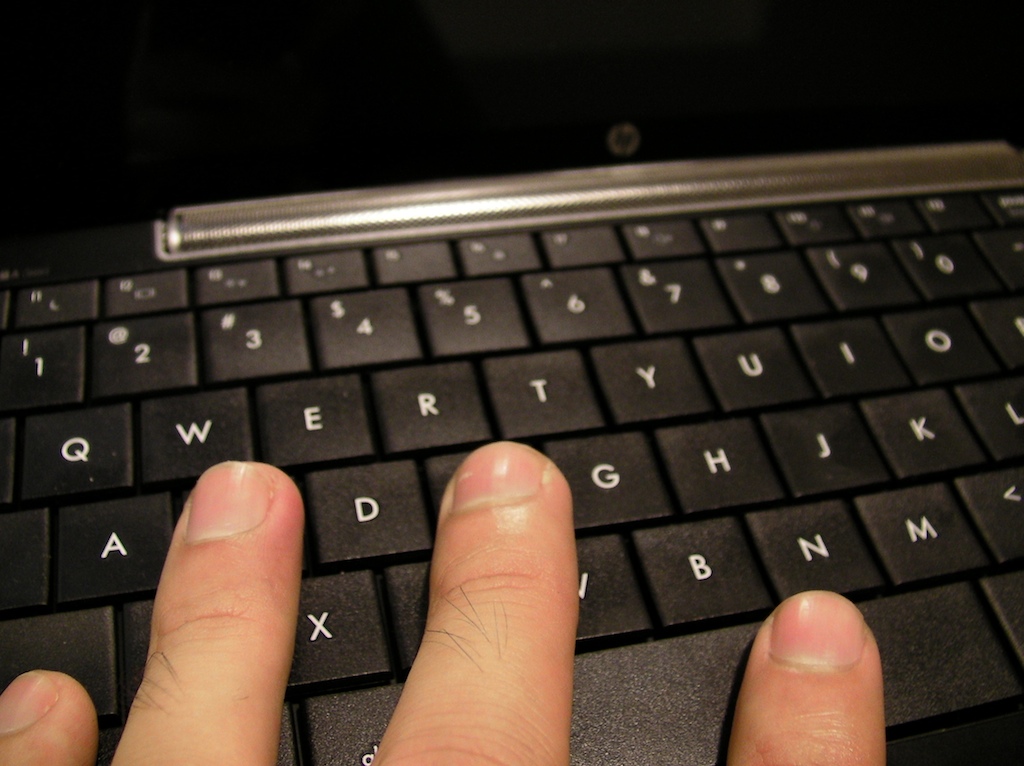
I’ve learned to touch-type on the S10 (picture below), but it’s not nearly as comfortable and I accidentally hit the wrong buttons too frequently. As you can see the HP Mini 1000’s keys are much larger than the S10’s.
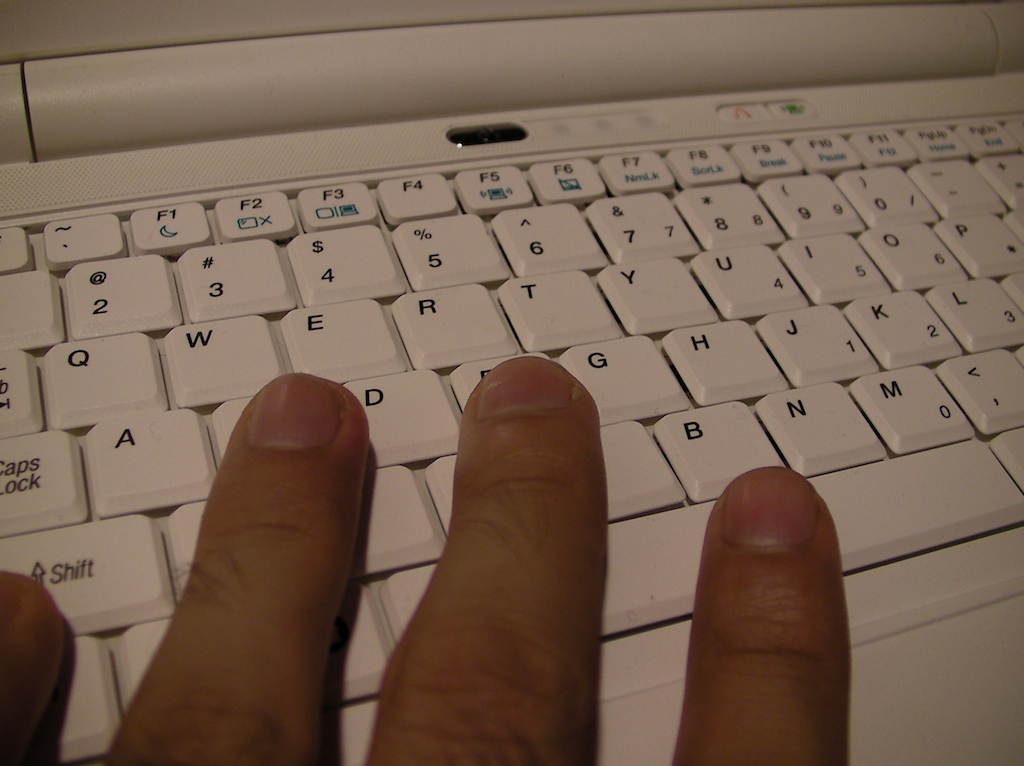
The only quirk that continues to bug me on the Mini 1000’s keyboard is that the “1” key is smaller than the rest of the number keys. I sometimes hit the “~” key when typing.
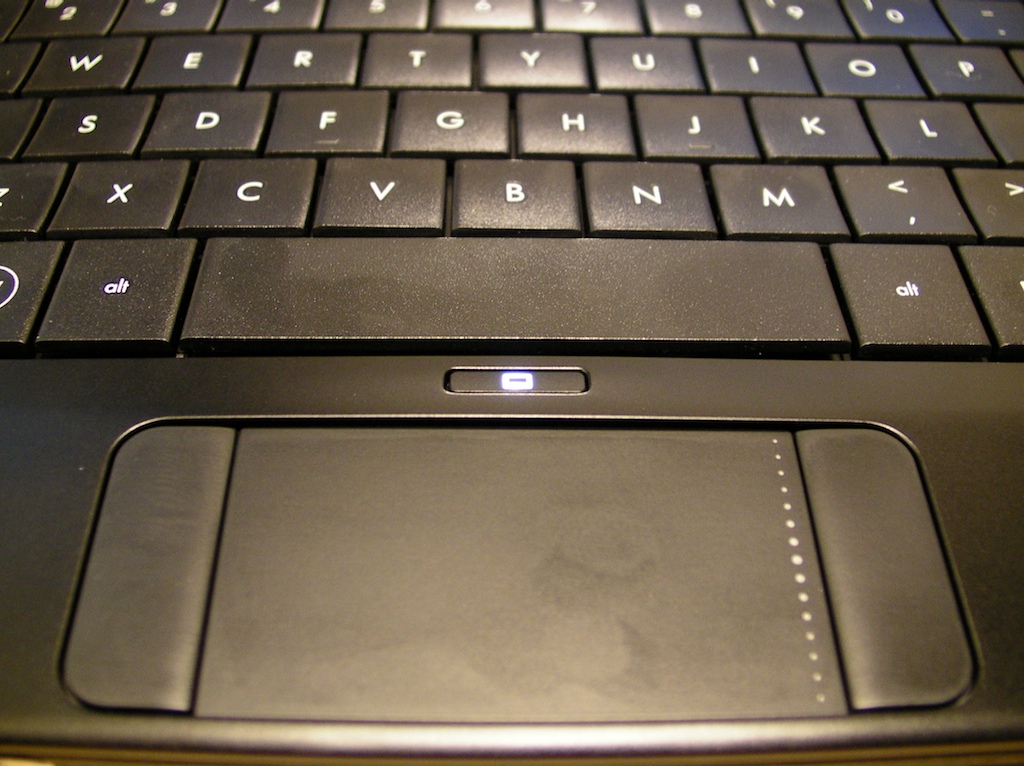
While most netbooks have the click buttons beneath the touchpad, the HP Mini 1000’s buttons are to the left and right of the touch pad. This unusual button layout is borrowed from the Mini 2133’s design and while I learned to adapt to the layout after a couple of days, some people hate this layout with a passion. I wouldn’t let the touch pad issue layout hold you back from getting the Mini 1000. You can minimize the use of the buttons by tapping on the touch pad to click and there’s a scroll zone on its right side.
There’s a button above the touch pad that disables it and the left/right click buttons so you don’t have to worry about accidentally hitting them, but I wish HP would kill this button in favor of a bigger touch pad.
HP Mini 1000 Dimensions and Portability
Portability is one of the primary reasons why you should consider adding a netbook to your digital lifestyle and the Mini 1000 is small enough to bring wherever you go.
The Mini 1000 weighs 2.38 pounds and measures 10.3 inches wide, 6.56 inches deep and .99 inch tall. It’s easy to carry around, stow in your book bag, shove in most purses or hide in your glove compartment.
Here’s a video of the Vivienne Tam edition Mini 1000 slipping into a purse.
I’ve also found the Mini 1000 to be useful on the road.
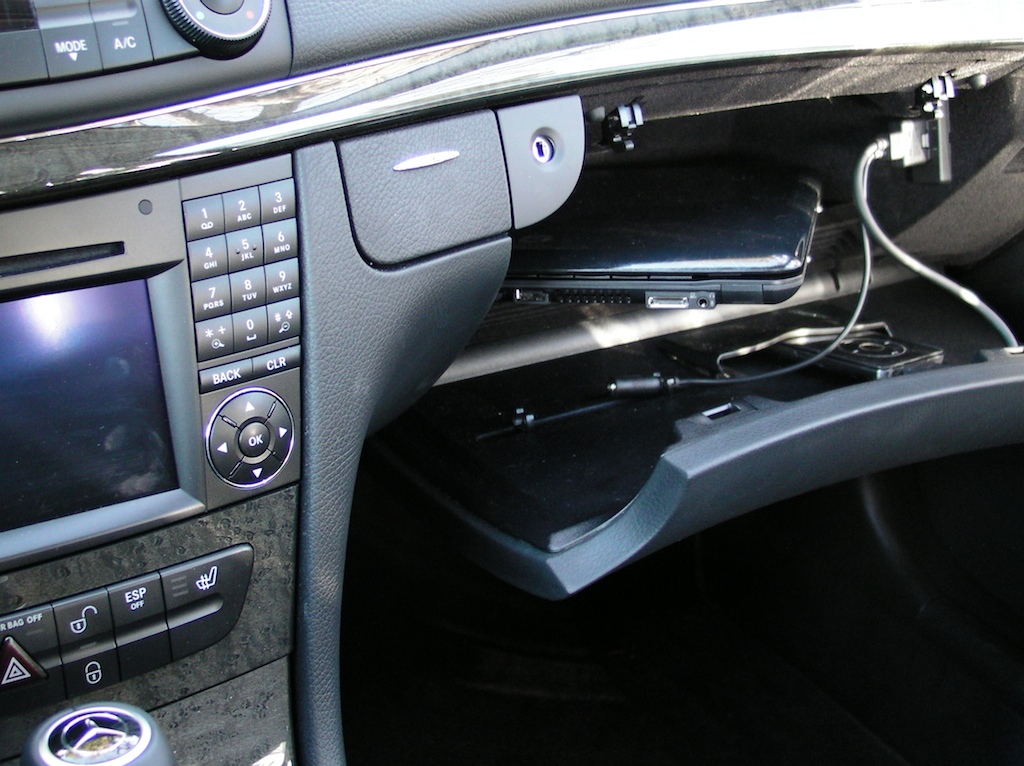
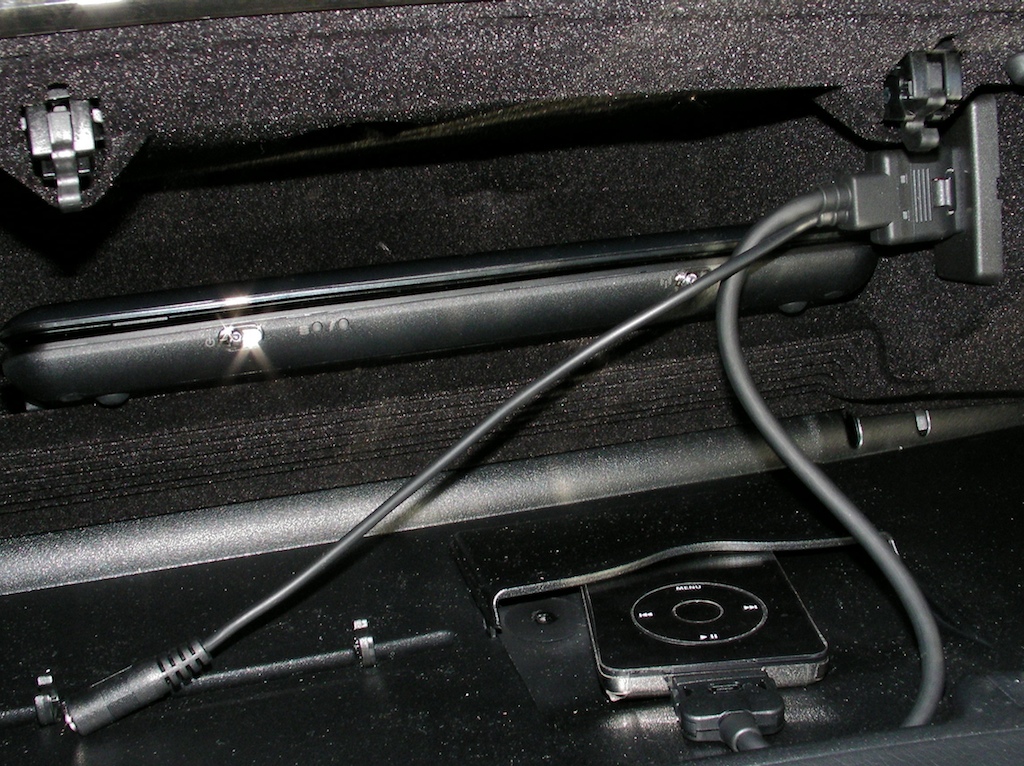
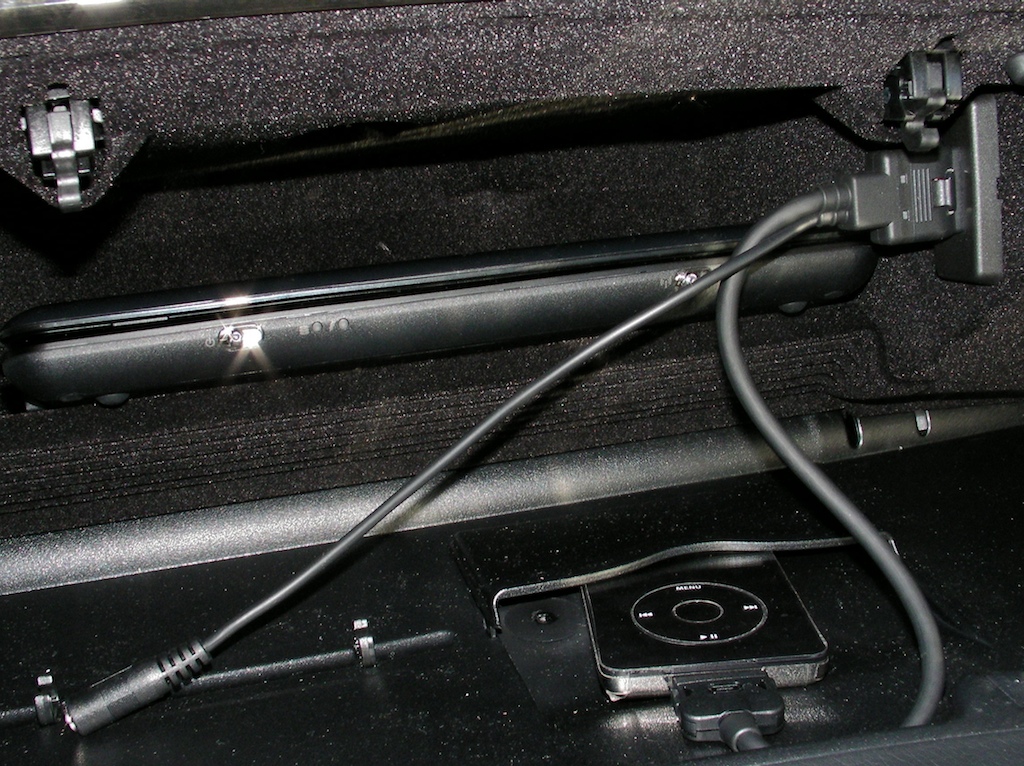
Having a WWAN connection and a netbook in your glove compartment provides is really convenient. My car’s glove compartment is tiny, but just big enough for the Mini 1000, my 30GB iPod and Compass 597 wireless modem to coexist. My car has both an iPod integration kit and an auxiliary audio input, which means I could potentially plug the Mini 1000’s headphone jack into my car’s audio system to listen to music and movies (while not driving of course). I’m going to use this setup to access Pandora for a nearly limitless audio library on the go and to watch live TV via my Slingbox.
HP Mini 1000 Storage Capacity
HP had to use the smaller drive so it could make the Mini 1000 thinner than many other netbooks on the market. Some notebooks, such as the Mini note 2133 and the IdeaPad S10 have full sized 2.5-inch hard drives that spin at 5400RPM or 7200RPM. It’s easy to find 2.5-inch drives in large capacities for cheap, but the Mini 1000 doesn’t have room for one and uses a more compact 1.8-inch 4200RPM drive. Competing products can be configured with much larger drives and this can be a deal breaker for users that like to schlep around all their multimedia files. The HP Mini 1035nr comes with a 60GB hard drive, which is the only hard drive option for the time being. The cheaper base model comes with 8GB or 16GB of flash memory. The 60GB drive is more than sufficient for most users that are using the Mini 1000 as a secondary computer, but things can quickly get tight if it’s your only computer. One way to remedy this is to buy a 16GB SDHC card and keep it in the card slot to house some of your multimedia files.
HP Mini 1000 Display:
The HP Mini 1000 I reviewed has a 10.2-inch glossy display with a 1024×600 pixel resolution. The 10.2-inch display is a $50 option and I highly recommend it over the base 8.9-inch display. The screen is very bright, but I wish it had the same resolution (1280x 768) as the Mini Note 2133.
The infinity display gives the Mini 1000 a nice poslished look that’s consistent with the premium options available on the Pavilion dv series notebooks. The picture is sharp, clear and performs as good as you can expect while indoors.
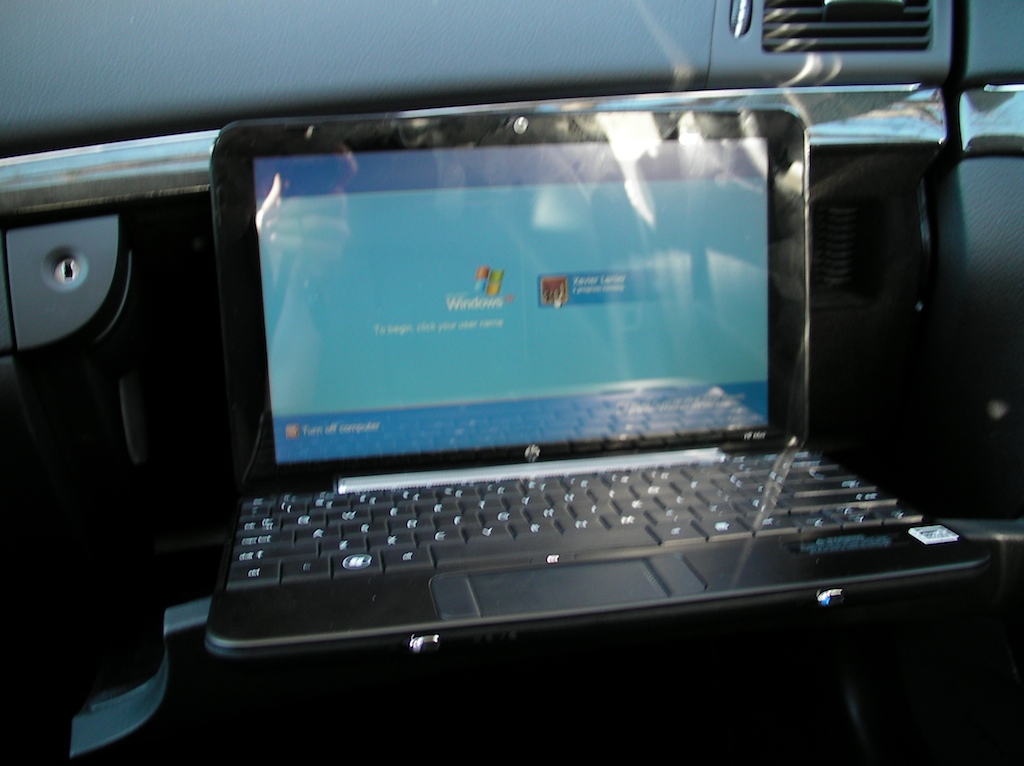
I generally prefer matte (non-glossy) displays because of their versatility and lack of reflections. In bright direct light or outdoors it can be extremely difficult to read the display. As you can see the screen can be hard see while using in a car on a sunny day.
There’s a mediocre Web-cam built into the display that is “good enough” for basic web chats, but the image is grainy, especially in low-lighting conditions. If you want to be a YouTube star you’re going to want to use an external Web cam with the Mini 1000.
The lid is latchless, which means there’s nothing holding the display to the palm-rest area. The lid doesn’t shut as firmly as I’d like it to making it possible for objects in your bag work their way in. I found a pen wedged in the gap once and I’m worried this issue can lead to possible screen damage.
HP Mini 1000 Software:
The Mini 1000 I reviewed came with Microsoft Windows XP Home SP3. I’ve taken a look at the Mobile Internet Experience (MIE) version of the HP Mini 1000 and think it’s a great option for many users, but I prefer being able to install Windows applications as needed.
I’ve been one of the few lucky people outside of HP to spend any time with a Mini 1000 with MIE and really liked what I saw. The Ubuntu (Linux) interface looks slick and inviting. It’s simplistic, yet has tools for nearly everything typical netbook users need. There’s an email client, Web browser, media players and the ability to add Linux compatible applications such as OpenOffice. Hopefully HP will make MIE available to all Mini 1000 owners when it’s released in January
Check out the video I shot of the Mini 1000 with Mobile Internet Experience:
The Windows-based HP Mini 1000 comes with Micorosft Works, which is a basic productivity suite that’s more than sufficient for editing Office documents and spreadsheets.
The Mini 1000 iss relatively crap-ware free compared to most notebooks, which means you aren’t bombarded with countless offers and trialware that you have to remove yourself.
HP Mini 1000 Ports and Plugs:
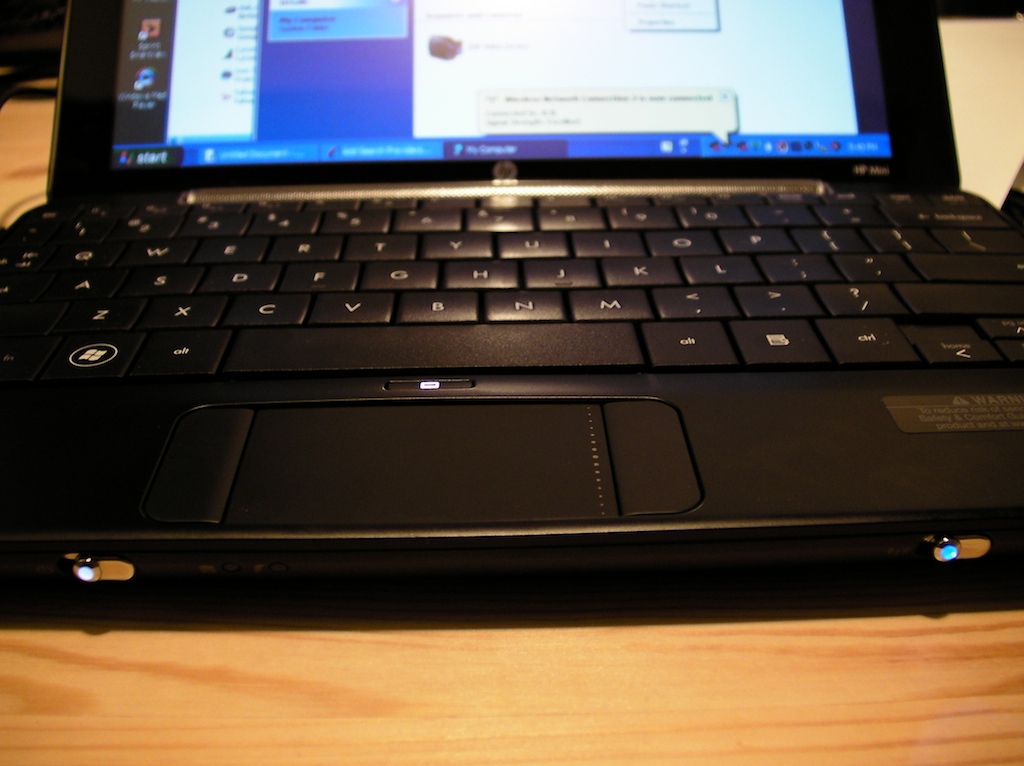
On the front edge of the Mini 1000 are two switches and two LEDs. The switch on the left is for power and the switch on the right is for the wireless antennas. This switch is useful as it’s a quick way to preserve battery life assuming you aren’t using any Bluetooth devices and aren’t connected to a WiFi network. The LEDs indicate hard drive activity and charging status.
On the right side of the notebook is a SD Card /MultiMedia Card reader, a USB port and a lanyard slot. Many netbooks and full-sized notebooks have shallow SD Card slots, which means your memory cards hang out of the side of your computer. But the Mini 1000’s card slot is deep enough to hold the SD card flush to the side of the netbook. This means you can stow an SD card semi-permanently in the Mini 1000 without worrying about knocking it out of the slot or losing it.
One quirk on the Mini 1000 is that models with a flash drive have a third USB-ish port that is recessed and accepts a proprietary memory card. It’s hidden behind a plastic door, but the port is absent on hard drive models. Space is at a premium on any netbook and HP should have used an industry-standard memory slot such as microSD instead of its own format. I have a feeling that very few users will use this port.
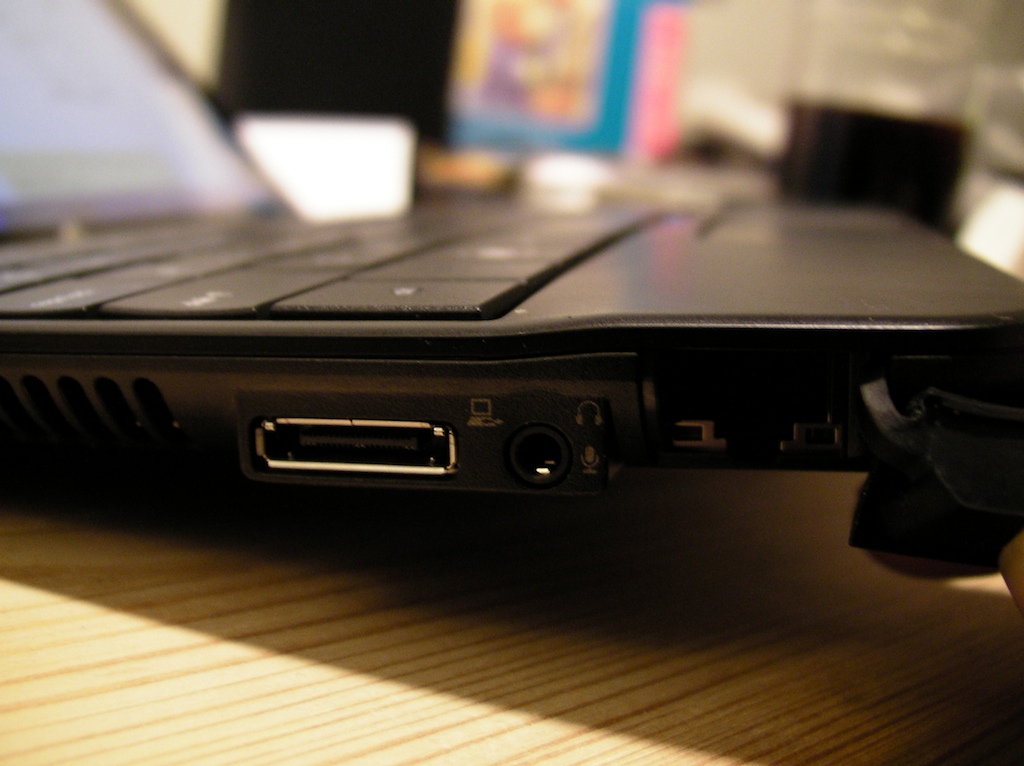
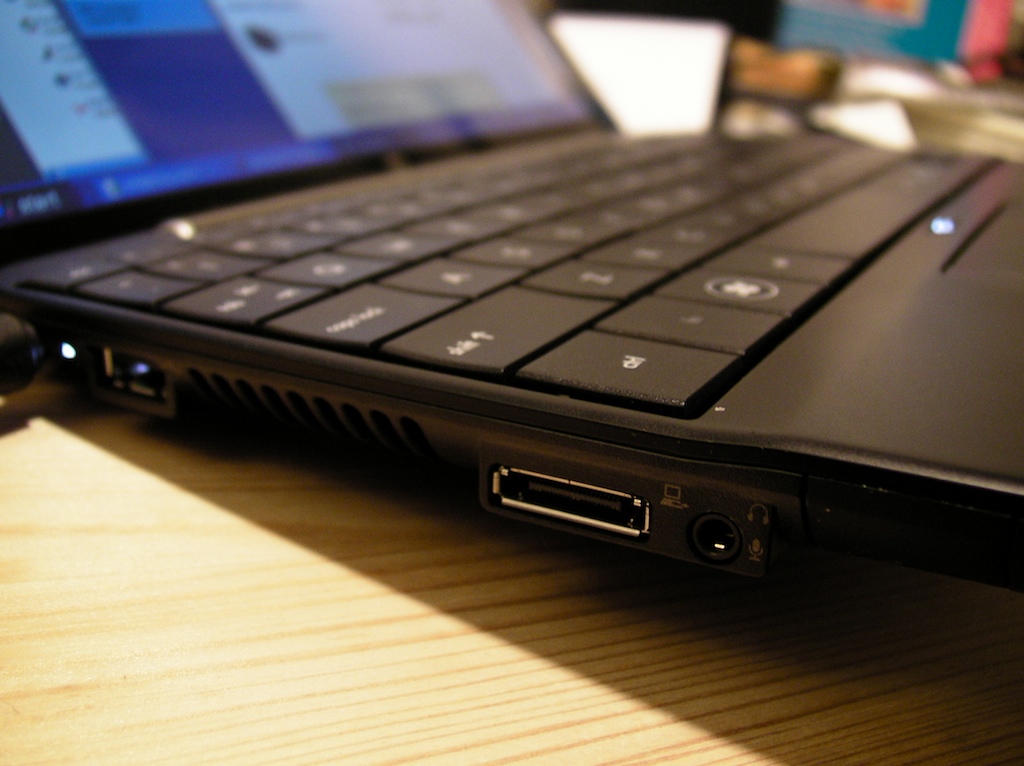
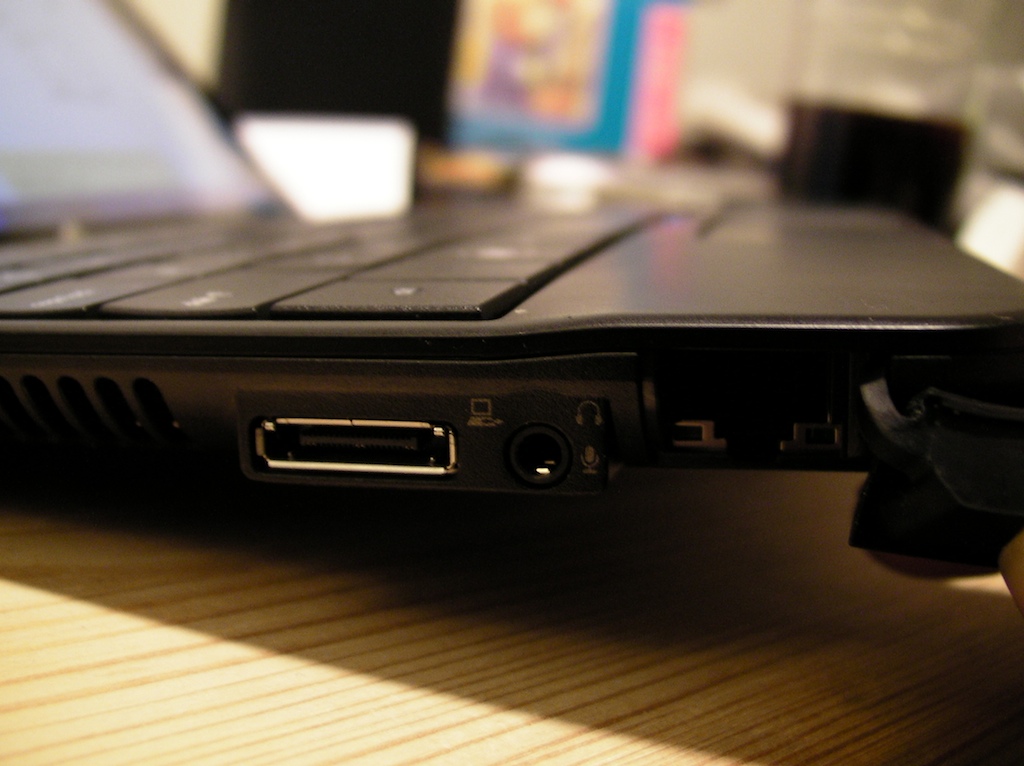
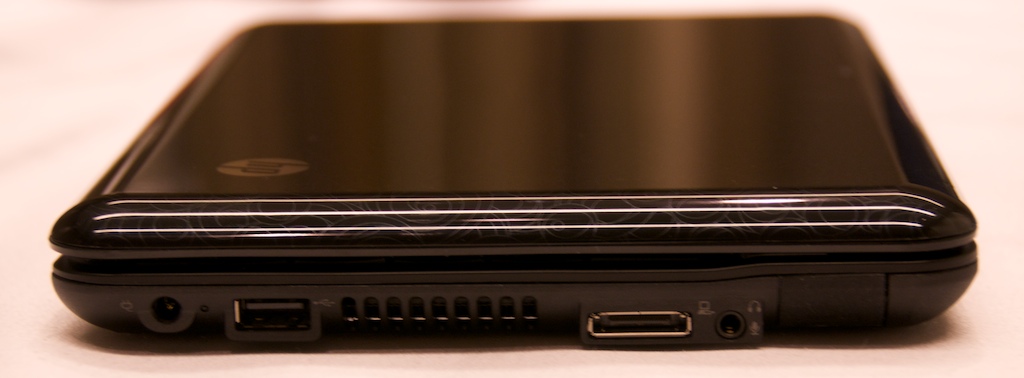
On the left side of the Mini 1000 is an Ethernet jack hidden behind a rubber stopper, a headphone/microphone combo port, an expansion port, another USB 2.0 port and power port. The expansion port can be used to connect to an external monitor via a VGA adapter. The expansion port can also be used to connect to docking station that will charge the battery, connect to peripherals and pump video through to an external monitor and peripherals.
I wish there were dedicated microphone and headphone jacks instead of the combo one, but space is limited because of the slim design.
HP Mini 1000 Battery:
The Mini 1000’s battery is a flat slab that’s positioned in the bottom of the notebook almost smack-dab in the middle. It uses flat battery cells, which enable the thin design, but the battery doesn’t have as large of a capacity as other netbooks.
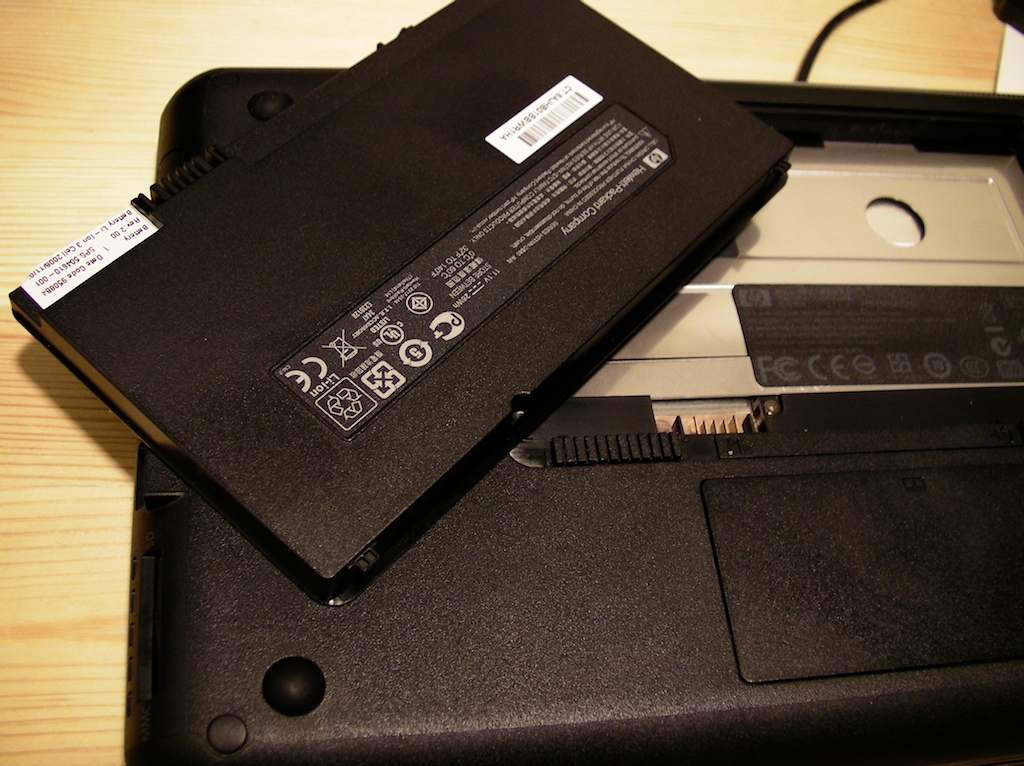
The standard HP Mini 1000 battery has 3-cells and lasted a hair under two hours and fifty minutes while web browsing and writing this review.
HP is planning to sell a 6-cell extended battery that will be wedge-shaped and tilt the notebook forward. If you want all-day computing or to use a Mini 1000 on a cross country flight I recommend getting the extended battery when it becomes available or doubling up on 3-cell batteries.
HP Mini 1000 Wireless:
All Mini 1000 netbooks come with 802.11b/g WiFi so you can connect to your home network and hotspots. Bluetooth is a $25 option on customizable models and standard on some quick-ship models such as the 1035nr I reviewed. If you’re going to be using the Mini 1000 while on the go Bluetooth is a must-have option. I paired my Jawbone 2 headset to it to make Skype calls.
I had no problems setting the Mini 1000 up to work on my home network. I was able to view TV programs on the Mini 1000 via my SlingBox Pro from a distance of about 40 feet without issue.
You can order an integrated WWAN modem, for use with either AT&T or Verizon’s mobile broadband service, for $199. These services are very expensive (about $60 per month with a 2-year contract). The cost of the service will quickly outpace the cost of the HP Mini 1000 and an affordable netbook might not bet the best choice if you have the budget for the WWAN service.
HP Mini 1000 Audio
The Mini 1000’s speakers are located beneath a metallic mesh cylinder at the hinge of the display. In a quiet room they are audible and sound decent for their small size, but they’re not loud enough to use in a moderately noisy environment. I highly recommend using wired or Bluetooth headphones if you want to listen to music or chat with your friends.
Mini 1000 Packaging
If you plan on giving the Mini 1000 as a holiday gift you can rest assured that the recipient will have a very pleasant out-of-box experience. The box is actually nicer than the Pavilion line’s plain boxes.
Conclusion:
The Mini 1000 I reviewed is an excellent choice and value for someone that understands the limitations of a netbook. It’s highly portable and its keyboard makes it much more useful than netbooks with smaller keys.
The configuration in this review has a retail price of $464.99 and will provide the vast majority of consumers a solid portable web, email and productivity experience. Business professionals looking for an enterprise-class computer should avoid the Mini 1000, along with all current netbooks.
Geeks and gadget tweakers may not like the Mini 1000 either as there’s not as the Mini 1000 doesn’t lend itself to tweaking the same way slightly larger netbooks do.It’s the best looking netbook I’ve used so far and its upcoming Mobile Internet Experience makes Ubuntu approachable to long-time Windows users.
If you like what you see on the shelf, then by all means buy the Mini 1000. The Mini 1000 is available directly from HP and brick-and-mortar retailers such as Costco and Best Buy. If you’re new to the netbook concept I recommend buying your Mini 1000 from Costco as they have a generous 90-day return policy on computers so you can decide if it’s right for you.
- Vivienne Tam special edition HP Mini 1000
- HP Mini 1000 in glove compartment
- HP Mini 1000 netbook
Topics: Featured, HP Notebooks, Reviews, netbooks, news |
73 Comments
Trackbacks/Pingbacks
-
[...] generation (using the C7 processor rather than the Intel Atom, using XP instead of Vista Basic). Notebook.com (via Digital Home Thoughts) have a review of this latest unit, and a fair review it is although it [...]
-
[...] more detailed tech review on notebooks.com and Vivienne Tam Mini on HP.com and to see more photos visit my flickr set. Share and [...]


Awesome review Xavier. If I were to choose any netbook I would go with the HP Mini 1000 Netbook mainly because of the keyboard size and how comfortable it would be typing on this netbook. From my experience the other ones I’ve come across like the Asus have very small keys and it’s hard to type on them.
Thx Shan. There are some others with small keyus, but I think the mini has the best overall package.
Thanks, Xavier, for the timely review. Could you comment on the operating noise of the Mini? This will likely get used at night in bed, and significant fan hum or display whine would be a problem (hard drive whine is actually the biggest concern, but since you’ve been testing the solid-state device, I’ll have to take my chances).
Also, do you know if the bluetooth functionality can be added as an after-market upgrade? I’m assuming it has to be factory-configured.
Rachel, I recommend you take a look at this URL (http://www.mydellmini.com/forum/mini-9-vs-hp-mini-1000-comparison-t1150.html). A person by the username of “yakker.yak” said that “If fan noise is not a big issue for you, or if you plan to use it mostly in places with some background noise, the HP Mini 1000 seems like a better choice because of the keyboard”.
So judging by that comment it looks like this HP Mini 1000 makes a noticeable fan noise. We can have Xavier confirm this.
I just took a look at HP’s website (http://tinyurl.com/hpmini1000page) and it looks like Bluetooth is not included in the base configuration but you can add it for an extra $25. I hope this helps. :)
Rachel, I recommend you take a look at this URL (mydellmini.com/forum/mini-9-vs-hp-mini-1000-comparison-t1150.html). A person by the username of “yakker.yak” said that “If fan noise is not a big issue for you, or if you plan to use it mostly in places with some background noise, the HP Mini 1000 seems like a better choice because of the keyboard”.
So judging by that comment it looks like this HP Mini 1000 makes a noticeable fan noise. We can have Xavier confirm this.
I just took a look at HP’s website (tinyurl.com/hpmini1000page) and it looks like Bluetooth is not included in the base configuration but you can add it for an extra $25. I hope this helps. :)
I’m using one with the hard drive and there is a slight hum, but nothing that could wake a sleeping spouse. It’s pretty quiet- nothing like the fans on a full-sized notebook.
Unless you’re going to consistently use it in an absolutely silent environment you probably won’t notice it. Typing on the keyboard is noisier by far than the fans/hard drive.
Shan is correct in that Bluetooth is optional. If you get the $465 configuration you’ll get the Mini w/Bluetooth and hard drive that you want.
Mini 1000 is my pick by far.
I have a Mini. I have been corresponding with HP help desks and they “INSIST” that there is no port that supports VGA on the Mini. They also “INSIST” that the only ports on the device are the USB connectors and the Microphone. Even though I have one and tell them that there is also an RJ45 port and the expansion port….I’ve been unable to get them to tell me what the expansion port might connect to. I can see the expansion port, just as it shows in your article…but I’ve been unable to source anthing (dock adaptor or VGA adaptor) that connects to it…Do you have a source for something that connects to that port?
The docking system and a VGA adapter will be out in January.
skip, I tried checking other websites to see if there was any dock available for the HP Mini 1000 and according to jkOnTheRun, there isn’t one available yet. Here is a quote from (jkontherun.com/2008/10/jkontherun–han.html):
“Lastly a nice option that is new and unique among netbooks is the docking solution. HP will offer a dock that will provide full desktop connectivity ports to extend the functionality of the Mini 1000. This dock will be available early next year, pricing not yet determined.”
According to James Kendrick it looks like this dock won’t be available until early next year.
Really nice and small netbook.I like the style and the battery . in http://thelaptopadvice.com/index.php?option=com_fireboard&Itemid=37 i wrote also and a personal review for this fantastic model
Great review!
i had purchased a hp mini on blackfriday and havent been able to open it only because it is a christmas gift :( meanwhile i have been thinking about it and looking at various articles and reviews and other netbooks. i have had second thoughts about this netbook and have even thought about maybe returning it. fortunately this article has completely erased all fears and doubts about getting this laptop.
thank you!
David, congrats on your purchase. I really like the Mini 1000, but there are limitations to what a netbook can do. Play with it as much as you can so you can get used to it and if you still don’t like it after a few days you can return it to HP- they’re relatively flexible w/returns during the holidays.
awesome review. I am getting one of these for christmas and i had just one question. My mother is getting me this one because of its value, and i would like a laptop with a processor of at least 2.0 Ghz. The maximum that hp offers is like 1.67. Does anybody know a way that i could increase it, or tell me where to find a better processor that is compatible? I’d really appreciate it if somebody could let me know. Thanks!
Hi, I’m from Mexico, last week I purchased my Mini 1000 at Office Max store, preconfigured with WinXP, 60GB HDD, Bluetooth, Wireless, Web Cam, 1GB RAM, 10.2″ display, and 3 cell battery.
I was negated to accept it until last night my spouse told me the fan was noisy, and don´t let her hear the TV.
I installed Ubuntu 8.10 and noticed the fan hum, but I think it was about a problem with the power manager, but last night I used it in Windows (dual boot), the fan is forever on, and has a high temperature underside.
Also the battery takes a long time to full load (3 to 4 hours) with the computer on.
Tomorrow I’m planning go to OfficeMax store to see the HP Mini’s sample and compare the fan. If this is its normal operation I will return it because is unconfortable, and if it´s a problem whith mine, then I will apply the guarantee because I really like it.
Anybody else have the same problem?
Is there a power manager to be configured?
At Eloy or somebody else:
(Also seen the computer in my local OfficeMax… :) debating to buy it for christmas but was wodering how well do full screen videos play…. I downloaded a 624 x 362 pixels video AVI that plays great in my current 3 year old laptop but was wondering how the playback will be in the mini….
thanks
I picked up a 1030r (10.2″ screen w/ blue tooth and 16gb ssd) after one too many flights where I couldn’t open my 17″ MacBook Pro due to the seat in front of me being in my face. I’ve never owned a PC, so it took a little getting used too but I find it perfectly fine for editing some fairly complex scientfic documents in MS Word (plenty of figures, equations and tables). The keyboard is comfortable and responsive. A good buy as a secondry machine or for general use. Nice build quality, and again I’m one of those mac users who gladly pays for that sort of thing, no crapware either. Ubunto runs great from a USB drive.
I have trembling in my hands and find a mouse works better for me than a touchpad. Does the Mini 1000 allow for a mouse?
USB means mouse and keyboard if you want. If you have Bluetooth that’ll work too.
thanks.
Last night while vsiting the local computer store, I happenned to lay my eyes on this HP Mini 1000. Instantly I was hooked by it’s looks. On examning it closely, gradually the short comings started appearing. The biggest shortcoming which I found was the lack of VGA port. How come HP not include it in HP Mini. As this is the computer which people onn the move would like to have it, and one of the most important thing for them is making presentations. Without the VGA port, it would not be possible for them. Attaching a VGA adapter in the expansion slot may be an alternative, but it is not a good idea, to keep adapters for such a basic function. I hope HP would rectify this blunder in their futute models. The second issue of concern was the limited HDD capacity of 60 GB only. I checked the competing netbooks from Lenovo and Acer, they were having atleast 120 - 160 GB HDD.
Because of the absence of VGA port, I finally decided, not to buy this balck beauty.
I can not believe HP left out the VGA port and separate mic/earphone ports. I had to return to retailer.
I agree- mic/earphone ports should be standard. The Mini 1000 simply doesn’t have room for a VGA port though since it’s so thin. An adapter will be out in early 2009 for external monitors. The lack of VGA display ports is becoming more and more common on notebooks as they get thinner.
Also I had a hard time investigating the expansion port. Finally HP chat said that a VGA adaptor will come out in January. I’d like to connect my mini to an HD TV instead of looking at the small screen when at home. Is there an adaptor for the expansion port to HDMI connector? Can the mini drive an HD TV instead of an external monitor?
I loaded MS Streets & Trips and now I use my mini for navigation with BT receiver. I love it.
I gave my wife the mini for Christmas. It’s fan is totally quiet. This must not be a typical problem.
is it quiet even if you hold the mini over your legs?
I also recieved my HP Mini for christmas but i found mine to be extremely loud.
Hi folks,
The mini seems to work great for my blogging and website updates. My question is: What is the maximum size SDHC that anyone has used? My 8GB SDHC works in the slot reader. Has anyone tried a 16GBHC?
Thanks,
James
James- I’ve used my 16GB SDHC card in the Mini 1000. Anything within the SDHC spec should work fine.
Will the VGA adapter be an accessory that can be purchased for use with a Mini I already have? Or will it be an enhancement to new production of the Mini?
Yes, sometime in the near future you’ll be able to purchase the adapter and it’ll work with any Mini 1000.
Has anyone installed MS Office w/BCM? Does it run OK?
i have never used a netbook before and am wondering if it can still be used as a computer? can you attach an external cd drive via usb and use it on the mini. i was also wondering if you can still download programs and use them on a netbook (bittorrent, foxfire, aim, etc,)thanks. nice review by the way
I’m glad you enjoyed the review. The HP Mini 1000 netbook can run applications such as Firefox, AIM,etc. and you can attach an external DVD/CD drive to it if needed.
While the Mini 1000 is great for it’s class, it’s important that you understand the limitations of netbooks compared to other computers you may be used to. They are not nearly as fast as mainstream notebooks, but obviously they’re much more affordable and portable. Are there any other applications you’ll be running on your Mini 1000 besides Firefox and AIM?
Will it run MS Office? I use Outlook for email with 3 IMAP accounts as well as an msn account. I spend a great deal of time traveling and am looking for something that will take some minor abuse (no hard drive) and will run MS Office. I also noticed HP has a business class version of this for slightly more money.
I run office 2007 without problems; including opening docs with lots of images, formulas and such. I did upgrade the RAM to 2Gb, which helped a lot.
Mike
Thanks Mike for the answer. One more question… do you have the hard drive or the SSD? I was looking at the 16G SSD drive. It looks like Office Pro only needs around 2G for the install. I don’t really need a lot of storage space on this PC, just the applications to open/read attachments, and for internet access.
Hi, I have never owned a notebook or netbook only desktop pc. My husband is leaving for afghanistan and i would like to keep in touch with him while he’s gone. He wants a net or note book that he can watch steaming video on, upload torrent video’s and music. Will i have to get the mini 1000 with windows to do all that or can he download applications like torrent and itunes and yahoo messenger on the MIE? I so scared to buy a mini vs. and basic laptop…. any help with these issues?
Alicia, the main reason you’d want to buy a netbook vs. notebook is for portability. It sounds like your husband will be enjoying a LOT of video/audio content and the Mini 1000 may not be the right choice for him regardless of the operating system. If he’s going to be streaming a lot of video you should think about getting a notebook that has better graphics performance.
Another thing to consider is the mini 1000 doesn’t have an internal DVD player. It sounds like he’s the kind of guy that may pick up DVDs from locals or his friends. If that’s the case he won’t have a way to view them. Another thing to remember about Minis is that they don’t have a lot of storage (hard drive) capacity.
If he’s only going to have one PC while overseas I’d suggest looking at larger and more capable PCs. Many of these are being deeply discounted right now. These computers have large (around 160GB-500GB) hard drives, DVD players, etc. If you’re looking for portability, try to stay at 13-inches and under. The absolute best performance/price value can be found in the 15-inch range.
Take a look at the HP Pavilion dv3z and Dell Inspiron 13 if you want portability.
Do you have a specific budget in mind? Let me know if we can be of further assistance.
Chris,
I have the 16Gb SSD. After installing office, firefox etc I still have 6Gb, plus I just use a 4Gb flash card for mirrored storage/ backup. I also installed umbuntu on a flash card for times when I don’t want to worry about viruses etc. when using open wifi.
Mike
Thanks Mike. That was one of my biggest concerns about the netbooks. I may just go ahead and take the plunge.
I have the HP mini 1001tu (for Thailand). It worked for 3 weeks then the hard drive started making grinding noises. Then I started getting errors consistent with the head touching the disk. Then I bluescreened many times. Then I could not boot again - with any of the options, safe mode of any sort, reboot with last known good configuration, etc. I could literally do nothing.
I had passwords to Paypal, 30+ website hosting accounts and at least 100 other online accounts that I use a lot. Sending the drive to Thai HP support was not an option. I removed the drive, cracked it open with a screwdriver (it’s VERY flimsy metal) and destroyed the disks.
I gave to HP in Krabi, Thailand to fix. They said it would take 3 months to receive a hard drive from HP. HUH? 3 months? Now I’m trying to figure out how to boot and use the USB drive and then I’ll plug in a usb hard drive with my apps and data.
Great weight. Great price. Great functions when it works. The hard drives are junk. HP’s support in Thailand is JUNK. Careful buying the HP mini 1001tu overseas.
Email me if you have any solution for how to go about booting and running Win XP from the USB because I’ve not figured it out completely yet. There is NO special usb port buried in this one. Apparently they left it out to save costs since it should have the 1.8″ hard drive in there.
My experience.
I’m really sorry to hear about this experience. Could you tell me which service center you dealt with? I’ve spent a lot of time in Thailand, and as you know customer service is #1 there. HP outsources a lot of their support to the Philippines. I have a contact there that may be able to help you, but I’m not sure if he/they support Thai customers or not.
hi i have the hp mini 1030nr I see the bluetooth icon in the screen but it says “Bluetooth Device Not Found” Does that mean I don’t have it?
Thanks
Based on HP’s spec sheet, the Mini 1030nr does not include Bluetooth. If you want to verify this, go to Device Manager.
Thanks Xavier,
It’s there under Device Manager, however, it’s still “Disabled”. After the Windows updates I did reinstall the bluetooth software…still “Device Not Found”…
If I don’t have it. Is there a bluetooth device that could fit like the HP mini USB HD.
Thanks
No, there’s not a bluetooth adapter that I know of that will hide in the Mini USB drive port. There are of course several Bluetooth adapters that will fit in one of the standard USB ports, some of which barely stick out at all. That’s probably your best bet.
I bought a HP mini 1034 to make traveling easier and lighter. I like it. I especially like the keyboard. I have loaded Office 2007 and it works fine. Similar to other people I am disappointed that it does not have VGA connector which means I will have to take my larger laptop when I have to do presentations. I understand that a VGA adapter will be available soon but it is now February and I still cannot get one. Besides I understand they will cost $79 which is expensive for an adapter. My friend suggested looking into a VGA to USB adapter. Will that work?
I bought a standard usb to vga adaptor and it works flawlessly with the Mini 1000. I’m in Oz and the rumour is that HP will be charging AUD 179 for their VGA adaptor when it finally arrives. I paid AUD89 for the one I bought.
Hi,
I got this black screen problem at HP Pavilion TX1005. I bought it to HP service center and most likely the cause of the problem is the system board. Unfortunately its out of warranty (1.5yrs). Now, im thinking if im going to repair it or buy another one. Note: Parts warranty only 3months.
I saw HP mini 1000 and it looks cute. However, i just wonder if this model also encounter black out screen.. From the forum that i read, HP tablet really had this black out screen problem. Can anyone advise me if im going to repair TX1005 or but HP mini 1000?
Hi Xavier,
Ive just buy a 1035NR and it works ok.
But I normally check the temperature of my laptops, so I installed a software to check it (its called coretemp) and it reads normally between 70 and 75 centigrades.
I thought that this is wrong, but when I touched the bottom of the netbook, it is really hot…
Please tell me your experiences about this issue, its the same with yours?
Thanx
Jorge
Sorry to hear about your problems with the TX1005. The HP Mini 1000 is a completely different machine from your HP tablet. I really do like the MIni 1000 for what it’s designed to do, but it’s not a replacement for the TX series. What do you plan on doing with the Mini 1000? Do you have a repair estimate for the TX1005? What is your budget for the repair purchase? Will the Mini 1000 be your only computer if you buy it?
Hi Xavier,
The estimated cost of repair as per HP service center for TX1005 is 20,000Php.. I do use TX1005 for business meeting, report presentation,excel, word, emails and chatting and movie. Can I do the same activities for Mini 1000?
If not then, i need to repair TX1005.
Does mini1000 encounter black out screen problem?
Thanks a lot!
Hi Xavier,
Ive just buy a 1035NR and it works ok.
But I normally check the temperature of my laptops, so I installed a software to check it (its called coretemp) and it reads normally between 70 and 75 centigrades.
I thought that this is wrong, but when I touched the bottom of the netbook, it is really hot…
Please tell me your experiences about this issue, its the same with yours?
Thanx
Jorge
I haven’t run CoreTemp on my MIni 1000, but will give it a shot. It definitely runs warm, but this is somewhat typical in thin/light notebooks. Can you tell me what apps you were using when it hit 70-75?
Hi Jorge, I have the 1020LA. I’ve used SpeedFan to check mine and in normal conditions it’s 40-45 centigrades, but now it reads 51, and CoreTemp reads 59, and of course a very, very noisy fan (it never stops).
I’ve noticed that it’s even hot when using AC adaptor or by using it for a long period of time.
I’m dissapointed by this issue and also don’t know if it’s something wrong with mine.
I just got a 1030NR, is it possible to upgrade the memory to 2Gb? is it easy to upgrade? What’s the best antivirus software do you recommend for this netbook with limited space?
@Rod - I’m sure you can upgrade to 2GB RAM - I’ve removed my 1GB and put 2GB in my HP Mini 1001tu and it works fine (DDR2, 667). Good luck!
Upgrading RAM is super easy. I upgraded mine to 2GB in just 20 seconds- http://www.notebooks.com/2008/12/12/hp-mini-1000-how-to-upgrade-ram-in-less-than-20-seconds-video/
Try AVG free edition. I’d be more concerned with how anti-virus taxes your processor rather than how much drive space it takes up.
Being a gadget freak, why did you not get the P2 package on your 2009 E350??? :)
Do you have notice about the VGA connector for HP 1000. Thanks
There is no Ethernet port on the left side, from front to back there is: microphone/headset in, proprietary HP port for VGA, USB port, power supply in.
On the right side:SD port, USB port, cover with nothing underneath.
Am I missing something in my 1035NR?
A PNY Micro Attache fits perfectly into the “proprietary” USB slot. Much cheaper.
Did HP ever release a VGA port adapter?
This might be a stupid question, but I guess I can’t be too careful.
Is there any danger to the notebook if it is kept inside a purse with a magnetic snap? The video of the Vivienne Tam version fitting into the purse is shown with a purse with a magnetic snap. Nearly all of my bags have this type of clasp now, and I am scared to put my Mini into them because I don’t want the magnet to damage them. Has anyone heard about or further researched this issue?
Ports questions: on right side of my 1035NR with 60GB HD I see:
- MMC SD slot: what can it be used for?
- USB port
- little cover, very hard to remove, and underneath an empty port: is it supposed to be an Ethernet port?
The Mini 1000 (1035NR) has only two ports on the right side. The SD slot can be used as additional storage, or to transfer media (photos from your digital camera) to your netbook.
The little cover you’re describing is a blank, and you shouldn’t try to remove it.
The cover only slides out on SSD versions of the Mini 1000, which have a 3rd USB port that’s sized for an additional memory card that HP sells to fit perfectly.
If you take this cover off yours it’ll be almost impossible to put back in as there are tabs that will snap off if you pry it off.
The Mini 1000’s ethernet port is located on the left-hand side of the computer.
Good day, I was just wondering if I can install Windows Professional edition with HP mini?
There is no Ethernet port on the left side, from front to back there is: microphone/headset in, proprietary HP port for VGA, USB port, power supply in.
On the right side:SD port, USB port, cover with nothing underneath.
Am I missing somethinh in my 1035NR?
@Claude:
On the left side, from front to back there is a covered ehternet port, then microphone/headset in, propietary HP port for VGA, USB port and power supply in.
The ethernet port is covered with a rubber cover.
Found. thank you.