Lenovo VeriFace Recognition (video)

By Xavier | January 8, 2008

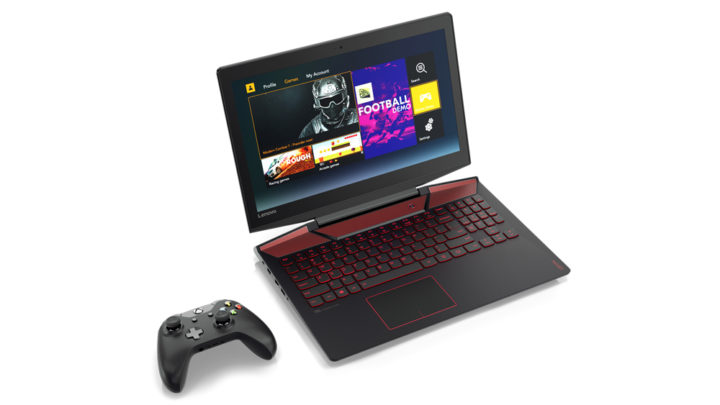
lenovo veriface recogitionLenovo’s VeriFace Recognition let’s you use your face as your password. Instead of typing in your password, the Lenovo IdeaPad’s webcam detects your face and automatically logs you into your account. Matt Kohut says this system is secure and is tough to trick. Check out the video demo below.


James from jkOnTheRun pointed out that this technology isn’t new. In fact he bought an IBM web cam about ten years ago that did the same thing.

VerifFace will probably sway a lot of consumers to buy a Lenovo product for the first time. It’s super simple to use and definitely has a ‘wow’ factor.


Topics: CES 2008, IdeaPad, news |

22 Comments

  1. Very McToaster says:

    “James from jkOnTheRun pointed out that this technology isn’t new. In fact he bought an IBM web cam about ten years ago that did the same thing.”
    Lenovo OWNS IBM

  2. Mauricio says:

    hi i have a laptop lenovo with veriface recognition secure but i can configurate the veriface system so everybody can use my laptop if they know my password please help me!!!!

  3. Xavier says:

    Mauricio- with Veriface enabled you can still access your Lenovo notebook if you know the password.
    As far as I know there’s no way to bypass this and force it to ignore Windows login passwords.
    I don’t think you’d really want to set it up like you’re saying, even if you could.
    From what we’ve seen, Veriface isn’t always reliable, especially in varied lighting conditions.

  4. Affendy says:

    I am using lenovo Y410, pls advice me on how to start using my VeriFace Facial Recognition on my notebook.

  5. Mohd Najib Affendy says:

    Hi, i am using lenovo Y410. i would like to find out on how to use the VeriFace facila Recognition on my notebook. Please advice me, thanks guys

  6. thatGuy says:

    @Very McToaster

    Lenovo does not own IBM. They own their PC division, not the entire company.

  7. thatGuy says:

    @Mauricio and Xavier,

    You can just click on the Vista icon below and enter your password, bypassing Veriface.

  8. Slawts says:

    I just purchaed the lenovo idea pad with Veriface. I’m having problems with Veriface. If I reboot or shutdown it takes forever for the program to recognize my face and sign me back into my computer. I’ve changed the lighting in the room, removed my eye glasses etc. The only time it seems to rectify itself is when I press the NOVO key. Any suggestions to solve this problem? Can I disable it so you just sign in by typing in your password?

    Thanks.

  9. carlos e. boado says:

    I am using my lenovo y410 and the veriface technology is not working so accurately and it take so long to verify the registered user, thus, i’m using my password to open it.

    Kindly give me an advice on how to shorten the face verification. Maybe it will only take 5 seconds upon verification then automatically open by not using the password.

    thank you very much.

  10. Neymer says:

    I’m using lenovo Y510, Please advise me how to use veriface.

  11. fakir says:

    well…i was wondering about this “veriface” if it can be use by other type of laptops? for instance, Compaq presario,dell,acer… actually,i`m impress with this “invention” that makes me want to us it for my laptop…

  12. Xavier says:

    @ fakir, Veriface is a Lenovo exclusive and tied into the disk image it ships on IdeaPad notebooks. @Neymer- to setup veriface, just go to the start menu, and type in Veriface.
    You’ll have to take a couple of photos of yourself. Veriface works best if you use it in similar lighting conditions on a regular basis. The application struggles if you use it in different places- i.e. at a desk on your office, and then on a couch at home all the time that have different lighting conditions and especially if you position the cameras at different angle relative to your face.

  13. prakash ranganathan says:

    plz help me..i am using L 3000 Y 500…i did recovery for my lap with the recovery dvd given when i purchased…it was ok..but i lost the lenova drivers…like veriface,lenova capture,shuttle center,etc…pls help me wat is the problem and where can i find it…

  14. rajesh shah says:

    this software is working fine but its not accept password for registration for domin user, u cant register for domain machine, any one have idea please let me knwo

  15. Sathiya says:

    Hi, I am using Lenovo Y430. i want to remove the vista and replace with Xp. is veriface supporting Xp?

    • wafik says:

      hi..Sathiya..
      i’m wafik from indonesia, i have any problem with my veriface recognition too. have u solved u’r problem??
      for more information, i am using lenovo y310 with XP n i had lost my lenovo drivers..including veriface, etc. if u have solved u’r problem, please share with me..
      please advice me, thanks guys..

  16. kyslik says:

    Hi. I have the sane problem as Rajesh. Software is working fine and no problem spot but the one when I’m connectin g via VPN to domain and try to access remotely to some computer using another credentials as used to log into my laptop I used for. Then I just simply can’t log in to remote coputer as the screeneing screen is hanging. I tried to put PWD to access but I can type pwd but then when I click on OK to log on to remote PC, nothing happen and I just still can see screening screen and log in dialog:-( Is there any way how to set up that veriface is asking whether I would like to use that or not? I prefer alway sto choose between pwd typing, finger print or verification of face before log in. Anyway as I said if I would not need to use VPN and login to some domaain using different credentials as used for logging to my laptop then there’s no issue. thanks for any advice, kyslik

  17. fred says:

    up graded to larger hard drive now i installed veriface from disc asking for user password!?????

  18. shankar says:

    what if they are twins and the system gets confused itself.
    what if we show the image of the other person in front of the cam..?

  19. marco says:

    What if you get fatter or slimmer, or if you get a nasty scarface?

Trackbacks/Pingbacks

  1. [...] IdeaCentre Desktop comes with VeriFace facial recognition technology which allows the user to log in by simply staring into a [...]

  2. [...] to Notebooks.com, Veriface is quite secure and will only enroll, in the flesh, human faces and can’t be fooled [...]

Leave a Reply

Top Deals