Written on September 6, 2007 by Xavier

HP iPAQ 300 Series Travel Companion GPS Device (video)

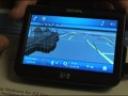
iPAQ 310 HP introducing the iPAQ 300 series, a GPS device that can also act as a media player. HP’s Alan Stokol, an iPAQ product manager showed us some of the 300 series features. Check out the video below.

The iPAQ 300 is based on Windows CE 5.0, with a custom user interface, designed designed specifically for travel. The iPAQ 300 replaces the iPAQ rx5900, which was a full on Windows Mobile device, but was difficult to use while driving.


The iPAQ 300 has a 4.3-inch WVGA touchscreen display (800×480 pixels), up to 2GB of memory and weighs in at 6.6 ounces. The iPAQ 300 can sync with your bluetooth enabled phone to serve as a hands-free speakerphone.

The first model in the iPAQ 300 series will be the iPAQ 310. It will be available in Q4 of this year and cost between $399 and $449.

iPAQ 300 Travel Companion Specs:

Wireless: Integrated GPS navigation Integrated Bluetooth v2.0 with EDR
Operating system: Windows CE 5.0 with custom HP user interface
Processor: Centrality Titan 600MHz
Display:
4.3-inch transmissive TFT 16-bit RGB depth 65,000 color WVGA 800 x 480 pixel touch screen display, antiglare, landscape orientation
Memory: 128MB SDRAM main memory for running applications (may vary by country)
Up to 2 GB Flash ROM (depending on model/may vary by country)
User available persistent storage varies by model
Dimensions: 86.8mm x 110.2mm x 18.2mm (3.4 x 4.3 x 0.7 in)
Weight: (with battery) 187 g (6.6 oz)
Power:1700 mAh Lithium Ion rechargeable, user changeable battery
Interfaces: Mini-USB connector for sync/data/charge
Storage: High-capacity SD card slot
Audio: Large speaker for navigation volume, integrated microphone with echo cancellation, 3.5mm 3 pin headphone jack
Hardware buttons: Power, scroll wheel, reset
HP exclusive applications: HP designed user interface, Bluetooth hands-free phone application, Bluetooth device pairing (phone, stereo headphones)
GPS software Navigation engine, text to speech, and maps
RDS/TMC traffic data support (EMEA)
Entertainment software: Digital music player (with Windows Media DRM), digital video player, photo viewer, and games
In the box: iPAQ Travel Companion 310 Series, windshield mount with device holder, dashboard mount disc, car charger, standard
battery, AC adapter, mini-USB cable, carrying case, documentation, HP iPAQ Companion CD.
Warranty: One-year parts and labor in most regions; 90 days technical support for software in most regions. Additional offers may vary by

Filed under: news, travel

12 responses to “HP iPAQ 300 Series Travel Companion GPS Device (video)”

Frank H

September 18th at 5:58am

The GPS functions look very good, but however HP for some strange reasons seem to cut out many of the normal functions Win CE 5.0 PDA functions!!! If that is the case I hope HP will fix it, because I (and most people) want one with full PDA functions so that I don’t need to carry so many devices around!!! Thanks for listening!!

Xavier

September 18th at 10:57am

Frank, this really isn’t designed to be a PDA. The iPAQ 300 series is a GPS device, with some additional features, but HP is moving away from the all-in-one model for its Travel Companion.

craig

September 22nd at 9:30am

Xavier, it’s hard for me to tell how this HP compares to the higher end Garmin nuvi 750 or 760. Can you compare and contrast?

Xavier

September 24th at 11:53am

Craig the Garmu Nuvi 750 and 760 are much more expensive than the iPAQ 300 Series, and have several features that the iPQ 300 does not. The Garmin Nuvi’s will cost between $600 and $800. One feature the Nuvi has that the iPAQ does not is real-time traffic. Where available, the Nuvi will receive FM traffic updates and reroute you around gridlock. The Nuvi will also transmit your driving directions to your radio if you want.
Of course the interface is completely different between the two brands. That’s a personal choice and I suggest playing with both brands if you get a chance.

Bernard

December 11th at 5:22am

Xavier,

Can we install normal window mobile applications on this device? For example Pocket Informant.

I notice it doesn’t have a calendar function, only contacts. Does it still sync with ActiveSync?

Thanks,

Xavier

December 11th at 10:23am

Bernard- the iPAQ 300 is not a Windows Mobile device, it’s a GPS device, with some features to make it work with your mobile phone. It does not have a calendar function.

Bernard

December 11th at 1:44pm

Thanks Xavier… I guess I’ll have to keep looking for 1 then.

AL

December 21st at 12:58am

I just bougth this device from future shop. Not impressed at all. Looks good but missing alot of street. MY WHOLE TOWN is not mapped… Hmmm That’s a big problem. At least 30-40 street not even on it. Freezes alot when starting up again. if you drive on some paralele street, its gonna get mixed up. the text to speech.. not true… doesn’t say the name of the street like advertise. I mean a regurlar map as ALL the name of the street on it, why don’t a GPS??….weird….I think Im gonna return it. Ive tried the lg ln735, wasnt impressed either. do you guy have any idea wich gps would be good?

Xavier

December 31st at 12:15pm

Al,

What city/state do you live in? If your town is really small you might be out of luck since mapping services rarely update small towns.
A while back I lived in a town of about 40,000 and my old GPS unit would direct me over railroad tracks where RR crossings didn’t exist.

Markus

April 2nd at 5:22am

Does anybody know how to upload a movie to the ipaq? Where can I put my movies to?

Nick

April 12th at 6:28am

Hi i am from GREECE how i can use this …no maps inside..what can i do..help.ipaq 300.

Alex

April 28th at 3:26am

I want to say you a big thank you for this stupid gadget. If I needed GPS Navigztor I would go to shop and buy GPS Navigator. But I want to get pocket computer for installing different GPS programs and choosing among them the best program. Now I have got ipaq 310 and I am living in Russia so I can’t use this gadget, because I don’t have Russian maps. Also I can’t use good progrmas which show me all traffic jams on the road. I have wasted my money. Thank you HP! Thank you very much!


Please leave your comment below.

* indicates a required field

    Notebooks.com Sponsors

Notebooks.com Links