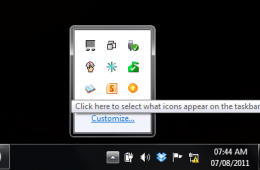
In Windows 7 the Taskbar Notification Area, or System Tray, displays a collection of items used for alerting and quickly adjusting basic system settings such as...
Microsoft announced an update to Skydrive, the company's cloud storage service that lets you store 25GB of documents, photos and even music for free. Although s...
A number of people have told me they are interested in giving Windows XP the boot, but at the same time, they are afraid of letting go of some of Windows XP’s f...
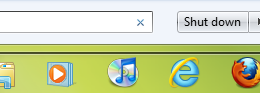
One of the major improvements in Windows 7 is the Taskbar. It introduces a new approach to using it with more flexibility and power built in while remaining fam...
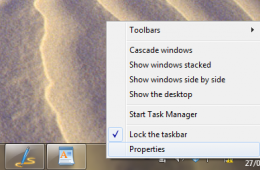
By default, the Windows 7 Taskbar is situated at the bottom of the screen, but if you would prefer to have it at the side or the top of the screen, you can do t...
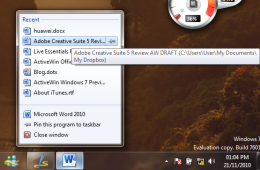
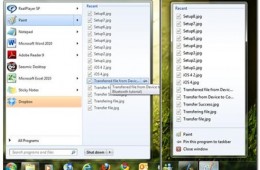
One of the things I love about Windows 7 is the ability to quickly access features and functionality. Particularly access to your information is one of the grea...
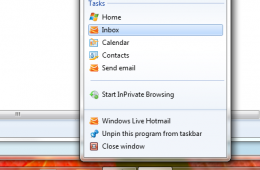
Last month Microsoft launched the innovative next generation version of its popular browser, Internet Explorer 9. One of the major highlights is the app centric...
The new taskbar in Windows 7 is arguably one of the best improvements from a user interface standpoint. Not only has it given users the ability to better organi...
For the past month Andre, one of our knowledgeable bloggers, has been working to introduce readers to Windows y. His very detailed and easy to follow guides cover everything from choosing what version of Windows 7 fits your needs to a Guided tour of the new operating system. This post brings all of his guides to one central location so that you can learn how to do practically anything in Windows 7.
Two critical elements that have been revamped for the better are the Taskbar and Start Menu. Some persons I have had conversations with about Windows 7 think it’s a minor release and it’s just Windows Vista reloaded. Yes, it is built on Vista and that’s a very good thing, which means, your investments in that version of Windows will be brought forward in areas of application and device driver compatibility. Apart from that, what new user experiences does Windows 7 introduce? What about the learning curve?