I'm a big fan of the ability to run Linux distributions from a flash drive, which allows users to try out Linux before committing to an install or even to keep ...
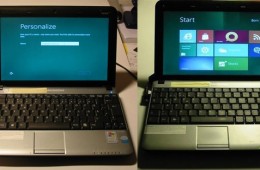
Today Windows officially pulled back the veil of "secrecy" on Windows 8 at Build, their conference for Windows developers. I put that in quotes because we've se...
Apple is expected to debut its next major release of Mac OS X, the Company’s flagship operating system for its Macintosh computer. Apple describes this release ...
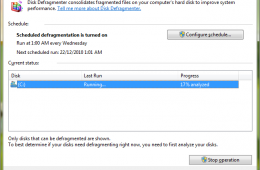
Defragmenting is one of the maintenance tasks you have most certainly heard about when it comes to using Windows, but not everyone knows how it works or how to ...
The first time I saw Microsoft Windows was in the days of version 2 when it was not much more than a file manager with a few little applications like a calculat...
It seems like just yesterday Windows 7 was released to manufacturing. Time flies indeed! I remember my first experience with Windows 7 which was the developer p...
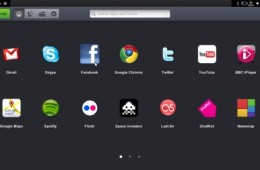
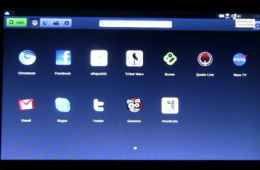
Jolicloud just released Jolicloud 1.0, an operating system designed for netbook, as a free download for use with your netbook.
Last month, we covered Netbook...
Sascha Pallenberg from NetbookNews (page in German) got a hold of the new unreleased Jolicloud 1.0 update and quickly installed it on his new Acer Aspire One 53...
MeeGo, the new operating system created from the merging of Nokia Maemo and Intel Moblin, is at its first release, MeeGo 1.0.
From the press release:
MeeGo ...
Today we take a look at the improved Windows Anytime Upgrade feature in Windows 7, first introduced in Vista. The Windows Team did an excellent job with the user experience. I attempted it once under Vista when I tried to do Anytime Upgrade from Vista Home Basic to Business on my sister in laws notebook, but discovered this was not supported. I got an opportunity to take it for a spin under Windows 7 to see if was improved and I must say I am very impressed and I know you will be too if the need arises.
Since the release of Windows 2000 and XP, Microsoft included the limited Recovery Console which was used to diagnose and recover from serious errors which may be preventing Windows from booting successfully. The problem with Recovery Console (although it was very handy), was its complexity and use of the Command Line. Using it required remembering obscure commands and knowing how to apply them properly. If you were not careful, you could seriously cause further problems. Today we take a look at the improved Recovery Options Windows 7 provides.
For many years Windows has included a set of productivity applications for basic task such as word processing, graphics and number crunching. These applications I speak of are WordPad, Paint and Calculator. In addition to these stalwarts there are a couple others users might miss out on, they include Sticky Notes and the dedicated XPS Viewer application. WordPad and Paint in particular have embraced significant changes to their interfaces.
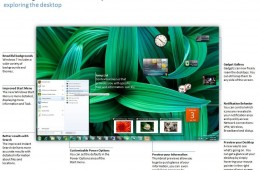
So you have finally made the move from Windows XP to Windows 7, everything is working great, but a few things have changed. Yes indeed, there is a new look, but a familiar experience along with numerous changes and improvements since the release of Windows XP back in October 2001. For some persons, it might be a bit overwhelming, to help make the transition a smooth one, here is a quick guide to help familiarize yourself with some of the changes and benefits.