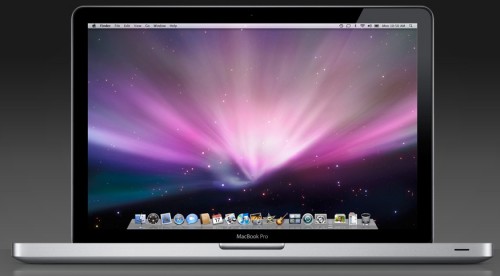
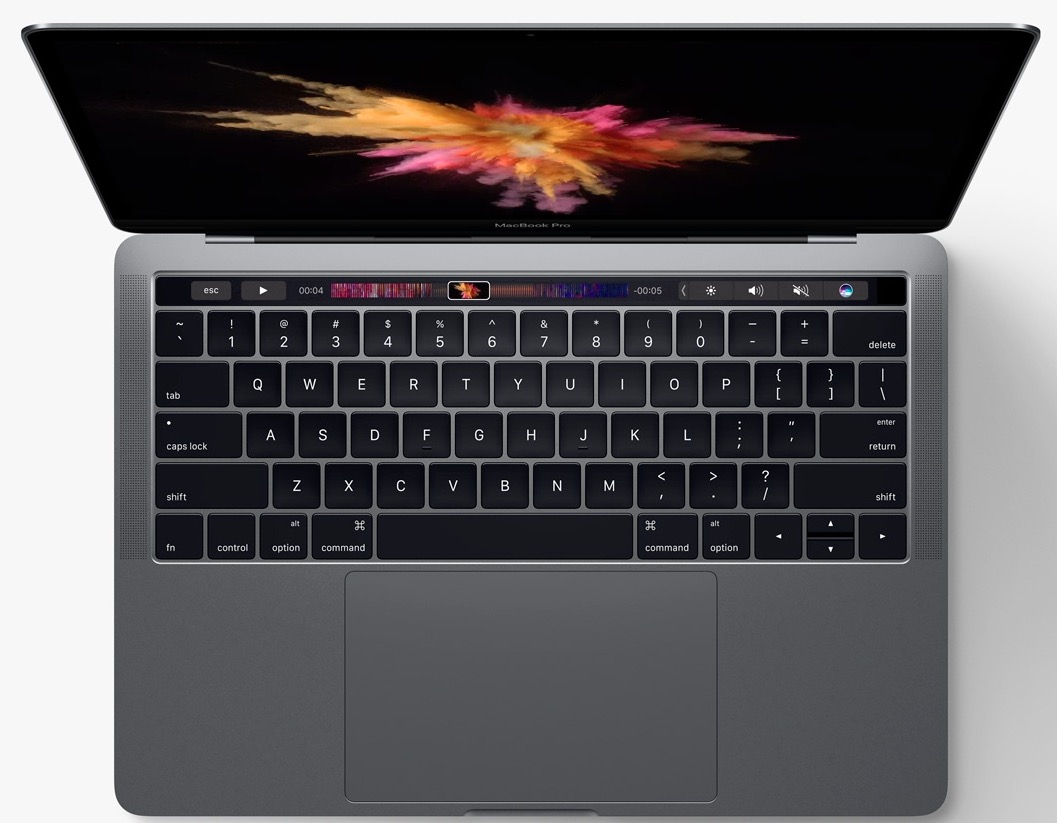
 In the Apple notebook keynote Address, Steve Jobs and company talked a lot about progress in the educational retail markets, but they didn’t talk at all about the needs of professional users. The MacBook Pro is a very impressive notebook in many regards, but it lacks many ‘pro’fessional-grade features that are taken for granted on many PC notebooks.
Apple’s made a huge splash with the introduction of its new MacBook and MacBook Pro lineup, but I’m starting to wonder if the MacBook Pro really deserves the ‘Pro’ moniker.
The two lines have more similarities than differences. While most manufacturers have a clear distinction between pro and consumer notebooks, Apple’s virtually merged the two lines.
A lot of users will be completely satisfied with the new MacBook Pros, but for $1,999 to $3,000 professional users should get at least some of the following features or the option to add them on for an additional charge:
1. Docking station/Port Replicator: 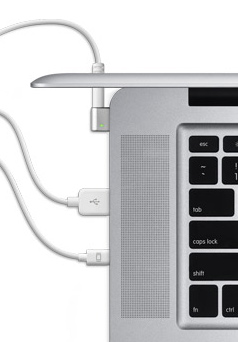
Most professional-grade (and many consumer-grade) PC notebooks have several docking and port-replicator solutions, enabling users to quickly and easily connect to any external display and peripherals with a single connection.
The closest thing Apple has to this is the newly introduced 24-inch LED Cinema Display that has a trio of wires that connect to the MacBook Pro. The display does act like a USB hub, but it isn’t a true docking solution since you’ll still need to connect Firewire peripherals, external speakers and microphones directly to the MacBook Pro. $899 is pretty steep for a a 24-inch display and of course you can’t use this solution with a display of your choice.
2. Extended Batteries:
It’s almost sad to hear Steve Jobs brag about 5-hours of battery life, while many pro-grade PC notebooks run for more than double that on a single extended battery. Stack on a secondary battery and you can push 19-hours on a single charge on a Dell Latitude, or 24-hours on an HP Elitebook.
The new MacBook Pro’s battery is tucked beneath a cover on the bottom rear of the system, which means it’ll be impossible for Apple or any partner to build an extended battery.
Extended batteries don’t look sexy, but there are plenty of Mac users that would love to be able to run their notebooks for more than half a day without swapping batteries or hunting down a power source.
3. Wireless WAN
Toshiba, Sony, Dell, HP, Lenovo and other PC manufacturers offer internal 3G cards in their professional notebooks and some consumer notebooks. Last week many of them announced WiMax capable models too, which will take advantage of the next-generation of wireless networks.
But if you want WWAN on a MacBook Pro you’ll have to go with either an ExpressCard slot or USB modem.
I personally prefer a USB modem so I can use it on different computers, but they’re very easy to lose and of course they occupy one of the MacBook Pro’s two USB ports.
4. Blu-ray
 Apple mentioned that Blu-ray drives won’t be offered with MacBook Pros primarily because of licensing issues. Blu-ray disc drives have come down in price dramatically recently and are being offered in everything from Sony’s tiny TT series all the way up to workstations like the Lenovo ThinkPad W700.
Not only can Blu-ray disc drives be used to enjoy high-def content, but they can also act as powerful backup and archival tools (up to 50GB per disc).
5. Matte Displays
Professional users often demand matte (non-glossy) displays for a variety of reasons. Photographers and designers generally prefer them for the sake of color accuracy. Glossy displays are all but unreadable outdoors and create distracting reflections in brightly lit office spaces. For some users the lack of a matte display will be a deal breaker. Most professional notebooks come with matte displays and until yesteday, Apple used to offer this option.
6. Standard Video Outputs
 Professional users need to connect to external displays and projectors from time to time, but the Apple MacBoook Pro only comes with a mini-DisplayPort output. Want to connect to your existing VGA, DVI or DVI dual-link display? That’ll cost you an extra $29 to $99 per adapter.
7. Damage Protection Warranties
It’s nice to be able to predict the total cost of ownership of notebooks. A lot of businesses andprofesionals ddo this by hitting up buying extended protection plans that cover both normal breakdowns and inadvertant accidents like drops and spills. Other manufacturers offer a variety of long-term damage protecion plans. Unfortunately, Apple doesn’t offer this kind of prefessional-grade warranty.
8. Spill Resistant Keyboards
One of the easiest ways to kill your notebook is to spill a drink on it. Professional notebook users are especially prone to knocking over a cup of coffee onto their keyboards. Many professional notebooks, including Lenovo’s ThinkPads have a system that liquid resistant membrane beneath the keyboard and channels spilled liquid through the keyboard and out of the bottom of the notebook.
The MacBook Pro has no such system for protecting against spills.
Related Posts
-
Today, Apple updated its most portable MacBook ever with a spec bump and a press…
-

While there will always be customers who need the sort of power that only a workstation…
-
At WWDC 2017 Apple announced an update to the 2017 MacBook Pro lineup, putting the…